Your apps, within reach.
Switch to running apps and keep favourites close when they are closed.


Bring a classic application menu to modern macOS. Pin apps and folders, arrange separators, switch running apps, and use application actions, live process information and activity sampling from the menu bar.
macOS 13 (Ventura) or later Prices in USD.
Switch to running apps and keep favourites close when they are closed.
Arrange apps, folders and separators to fit the way you work.
Reach applicable app actions, information and activity sampling.
YOUR MAC. ONE MENU.
The apps you’re using. The ones you want close. Your folders, too. Bring them together in a menu that follows your order.
Switch to a running app with a click. Keep favourite apps pinned when they are closed. Put folders and separators where you want them. Your menu can be as simple or as organized as your day needs.
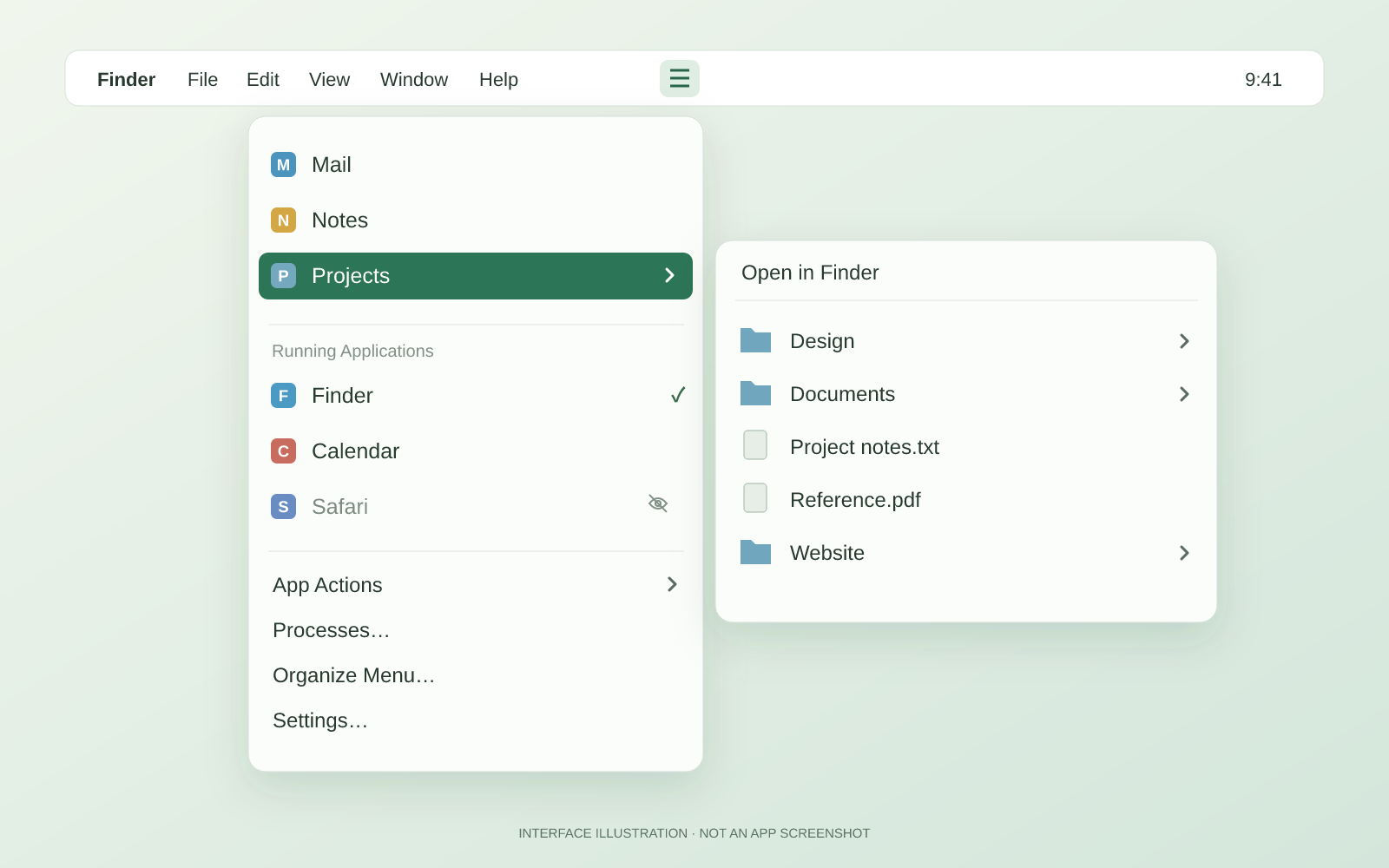
Go straight to an app from the menu. Useful actions stay close in an application submenu.
Arrange pinned apps, folders, labels and separators. Browse folder contents or jump to Finder.
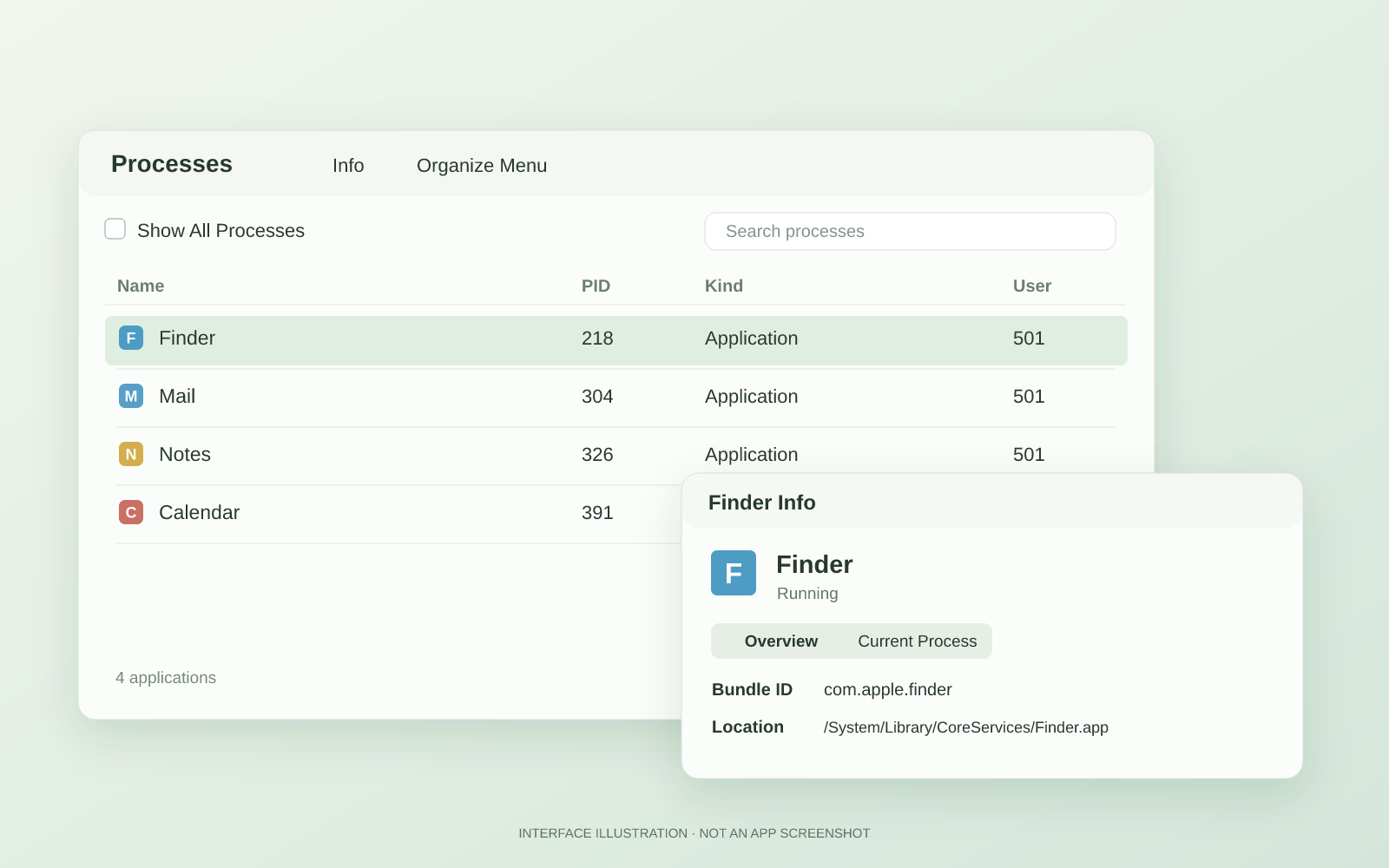
Inspect app information and available process details, or capture a Sample Activity report.
Keep work apps together and a project folder nearby. App Actions offers commands such as Hide, Show, Quit, Relaunch and Reveal where applicable.
Search graphical applications or show other available processes. Information and activity sampling depend on what macOS makes available for the selected process.
Explore the manualYes. Pin an application to keep it in your chosen order. Selecting it opens the app when needed.
Folder menus show up to 100 sampled entries and ten levels, with Show in Finder close by for the complete folder.
Choose a quick icon, emoji, symbol, image or short text label. Record an optional keyboard shortcut to open it.
MenuGlide still opens. Application actions and access to Processes require a valid licence; the standard Unlock window lets you enter one.
Hide All clears applications from view and brings an already-open Finder forward. Your apps keep running.
Choose a quick icon, emoji, symbol, custom image or short text label for MenuGlide.
Pin applications so they stay in the menu whether open or closed. Choose your own order and labels.
Browse a bounded selection of a pinned folder’s files and subfolders, or jump straight to the complete folder in Finder.
Search graphical applications, show other available processes and open information for a selected row.
Capture a diagnostic sample where macOS permits it, review or save the report, and open Activity Monitor to investigate further.
Open or switch to an app. App Actions keeps Hide, Show, Quit, Relaunch, Reveal and other applicable commands close.
Arrange pinned items and separators, customize table columns, and keep unwanted applications out of the menu.
Record an optional keyboard combination to open the menu and clear it whenever you prefer.
No reviews yet.
1 computer/user · 5 unique devices per year
1 household · 10 unique devices per year
1 computer · 2 unique devices per year
1 school · 300 unique devices per year
10 computers/users · 60 unique devices per year
Unlimited computers/users · 10000 unique devices per year
Prices in USD.
| Version 1.0 | |
| Requirements macOS 13 (Ventura) or later. | |
| New Release: | Initial release. |