Make media work for you.
Convert images and videos with previews and reusable settings.


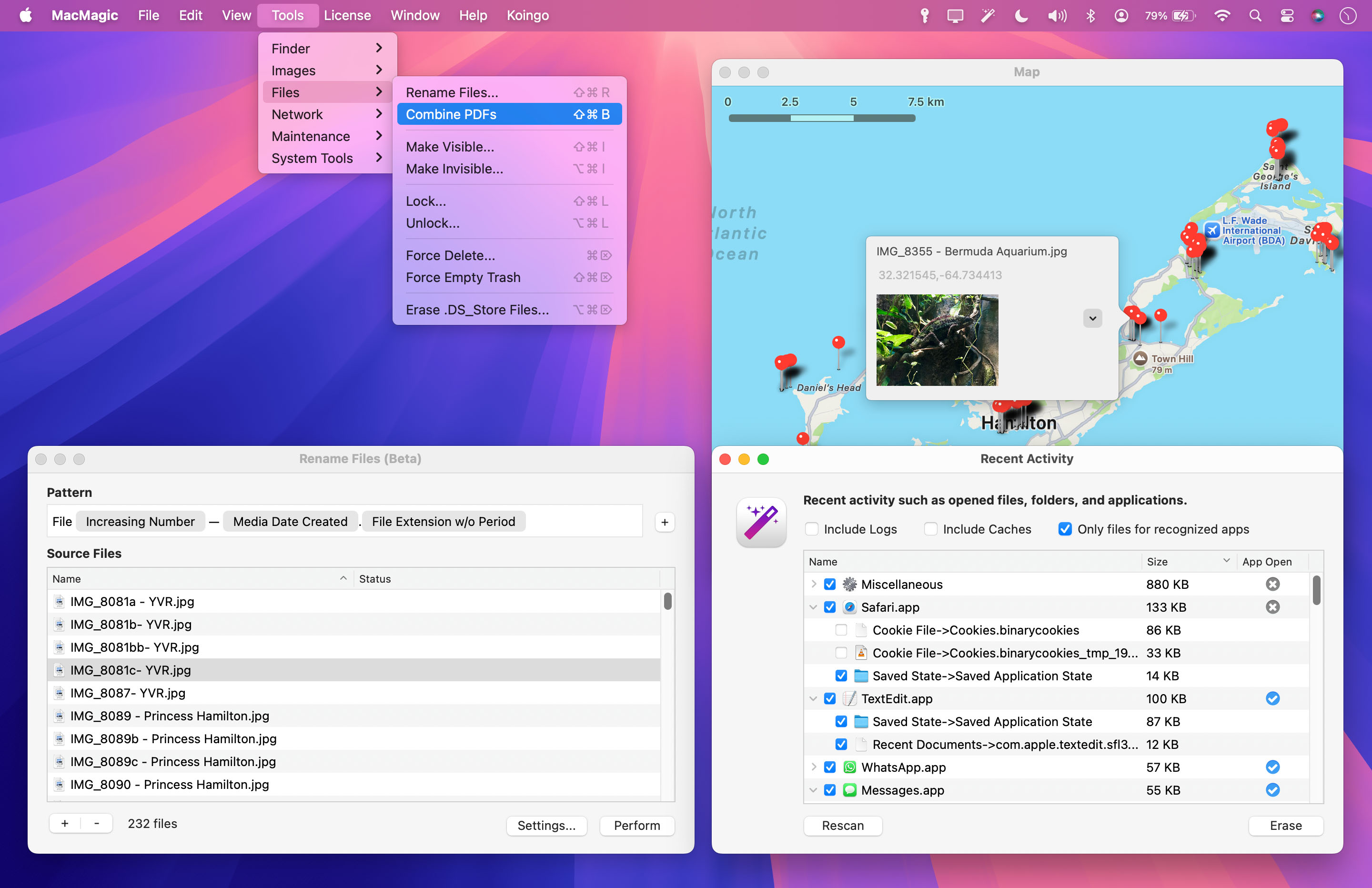
MacMagic is the quick solution to access some of the most popular hidden features in macOS. Erase caches, show hidden files in the Finder and more.
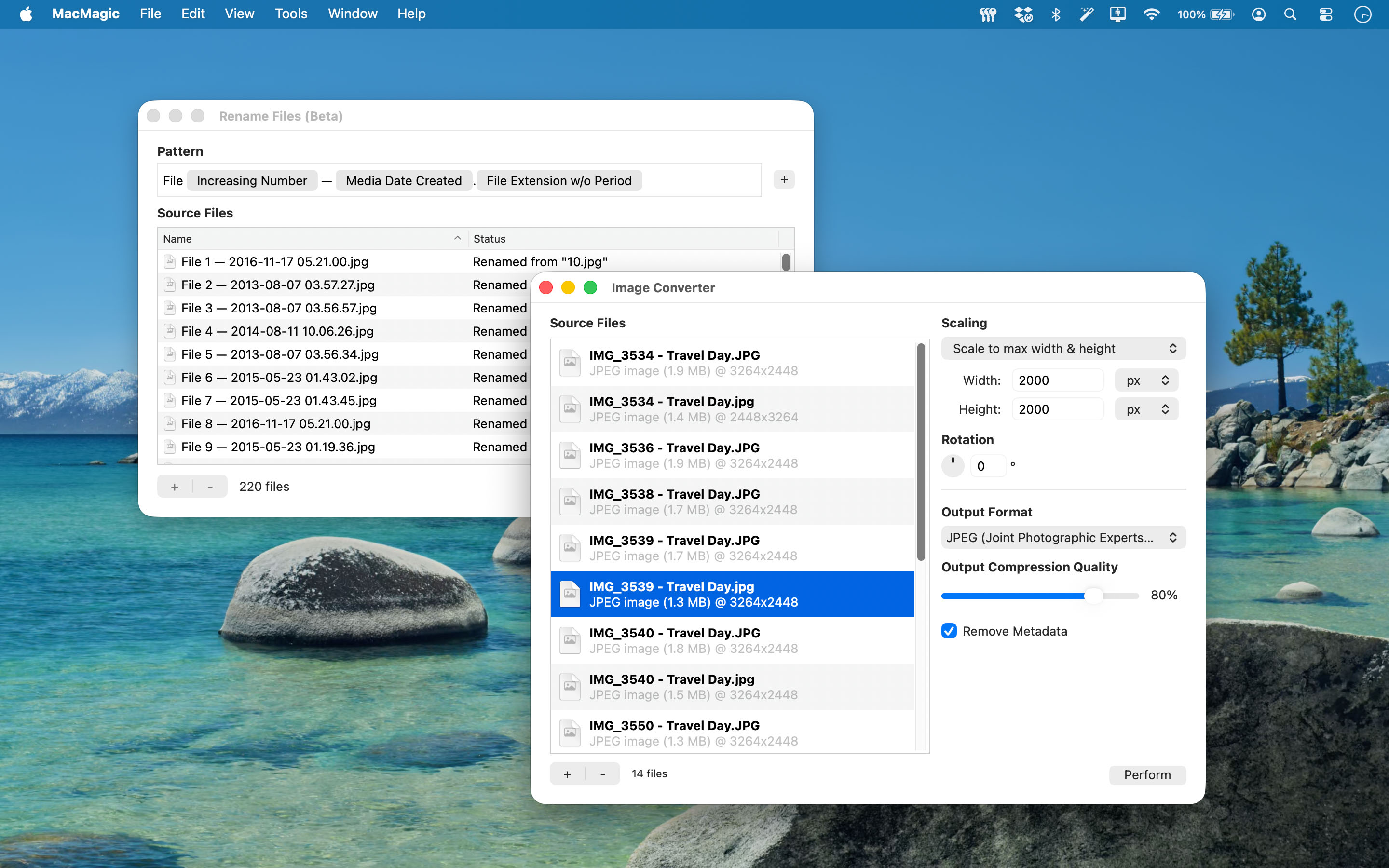
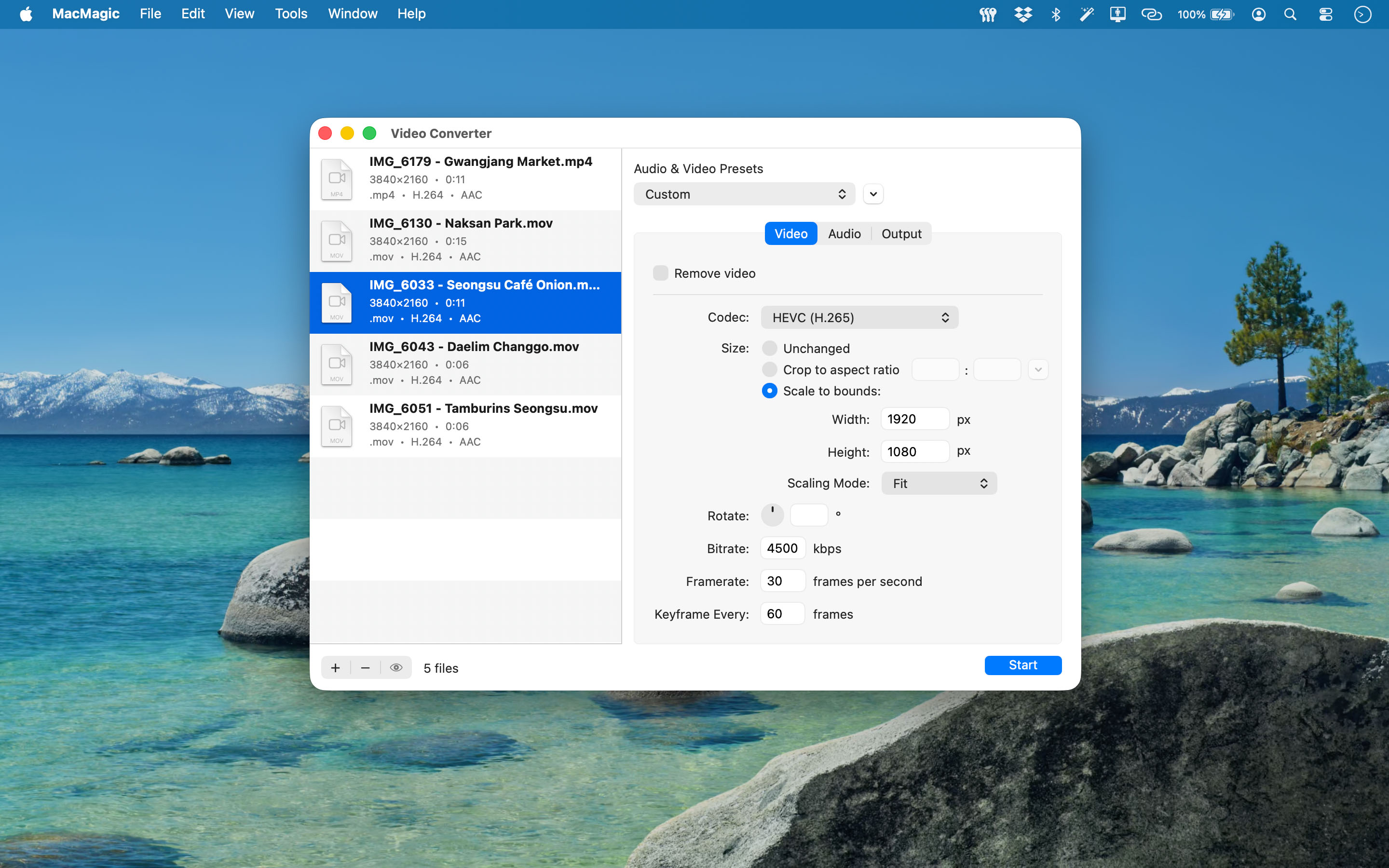
Convert images and videos with previews and reusable settings.
Preview batch renames and organize PDF pages before making changes.
Reach text, SQLite and file utilities from a searchable Home.
Convert photos and videos, rename files, work with PDFs, edit text, explore structured data and review selected application activity. MacMagic brings practical tools together so you can get on with your work.
New in MacMagic 2.0: visual previews, reusable presets, a restored video queue, text recovery, richer data browsers and more control over what you scan, export or clear.
MacMagic 2.0 requires macOS 13 Ventura or later. Check the Download tab for available earlier releases.
Compare image previews, reuse image and video presets, preview video frames and trim clips. Keep individual job settings in a video queue that returns after relaunch.
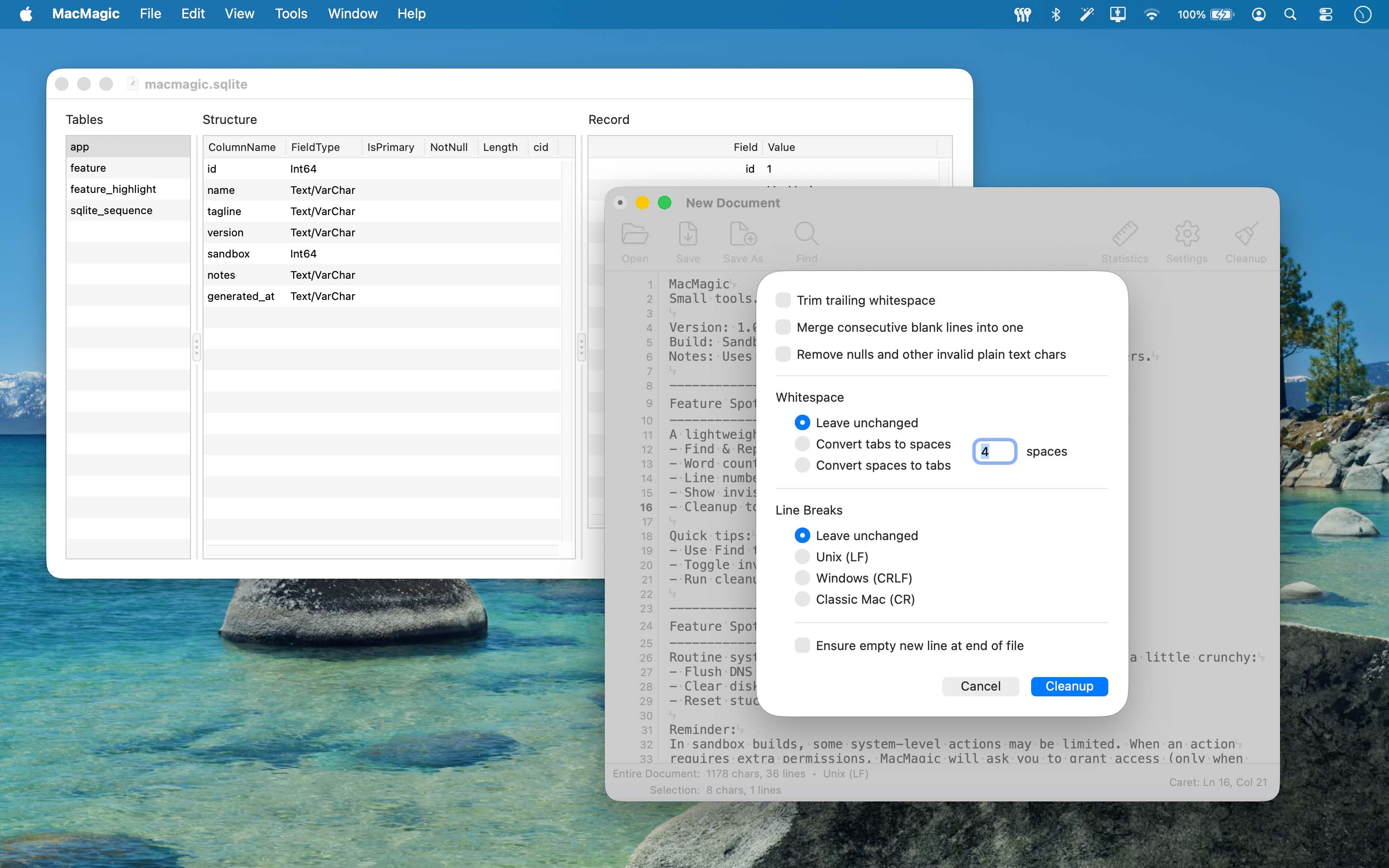
Inspect SQLite tables one record at a time with field names beside values. Filter records, run supported SELECT queries and export results, records or tables as CSV.
Edit with Find & Replace, statistics, encodings and line-ending controls. Restore local recovery copies of unsaved work after an interrupted session.
Search Home by name or category, keep favourites close and add shortcuts to files and folders. An optional global keyboard shortcut brings Home to you from other apps.
Long conversions, scans, imports and exports run in the background with progress and Stop controls. Review previews, selected sizes and completed results before deciding what to keep or change.
Find tools and shortcuts by name or category, keep favourites close, and open Home with an optional global keyboard shortcut.
Build names with tokens, numbering, literal replacements and case changes. Save presets and undo the last batch with conflict checks.
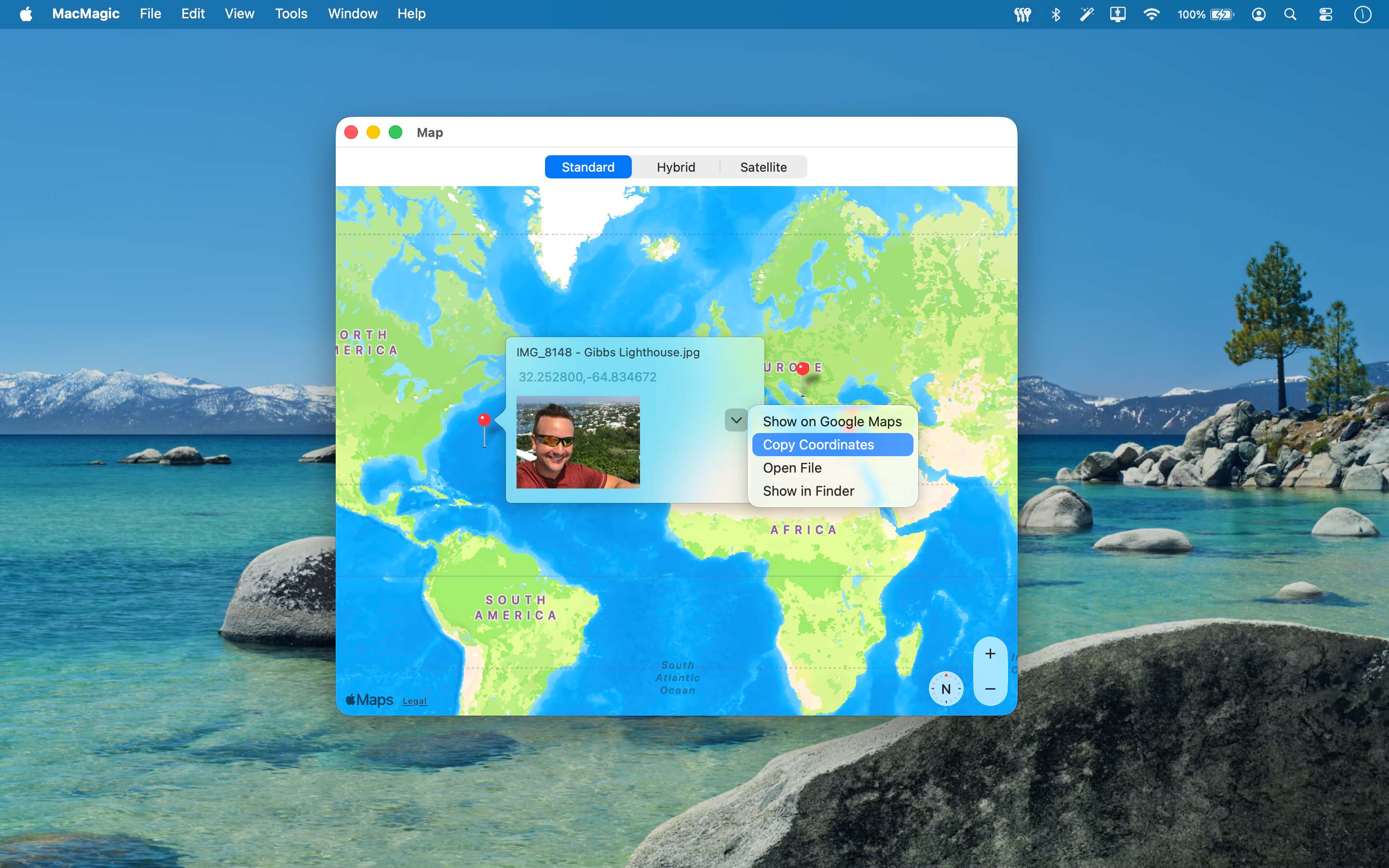
Explore geotagged photos and videos with Apple or embedded Google maps, sidebar search, clustered locations, Fit All and location CSV export.
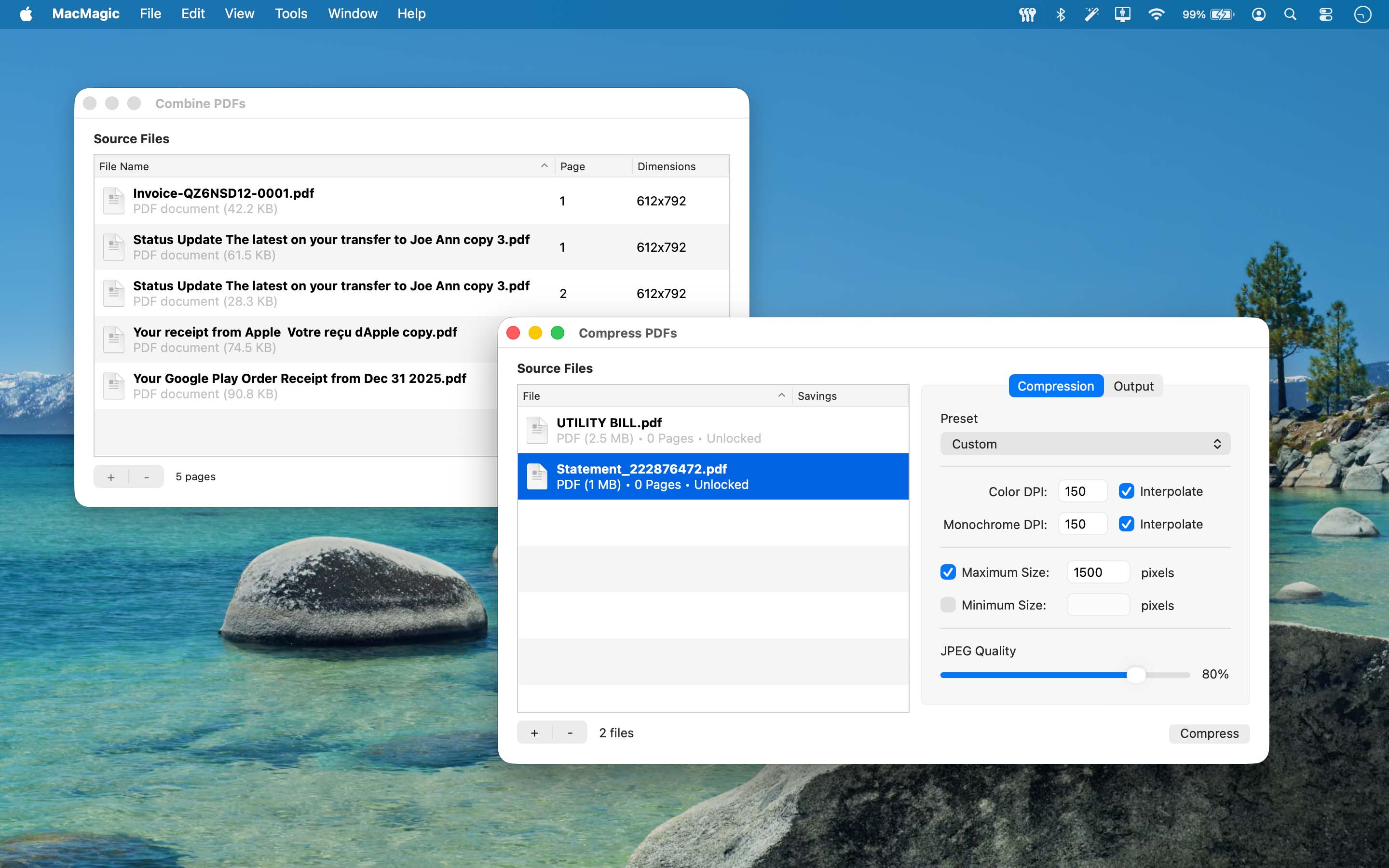
Preview and reorder pages, rotate selections, extract pages and split PDFs into individual files.
Choose compression settings, compare original and output sizes, and skip results that are not smaller.
Keep recovery copies of unsaved edits and restore interrupted work, even when the original folder is unavailable.
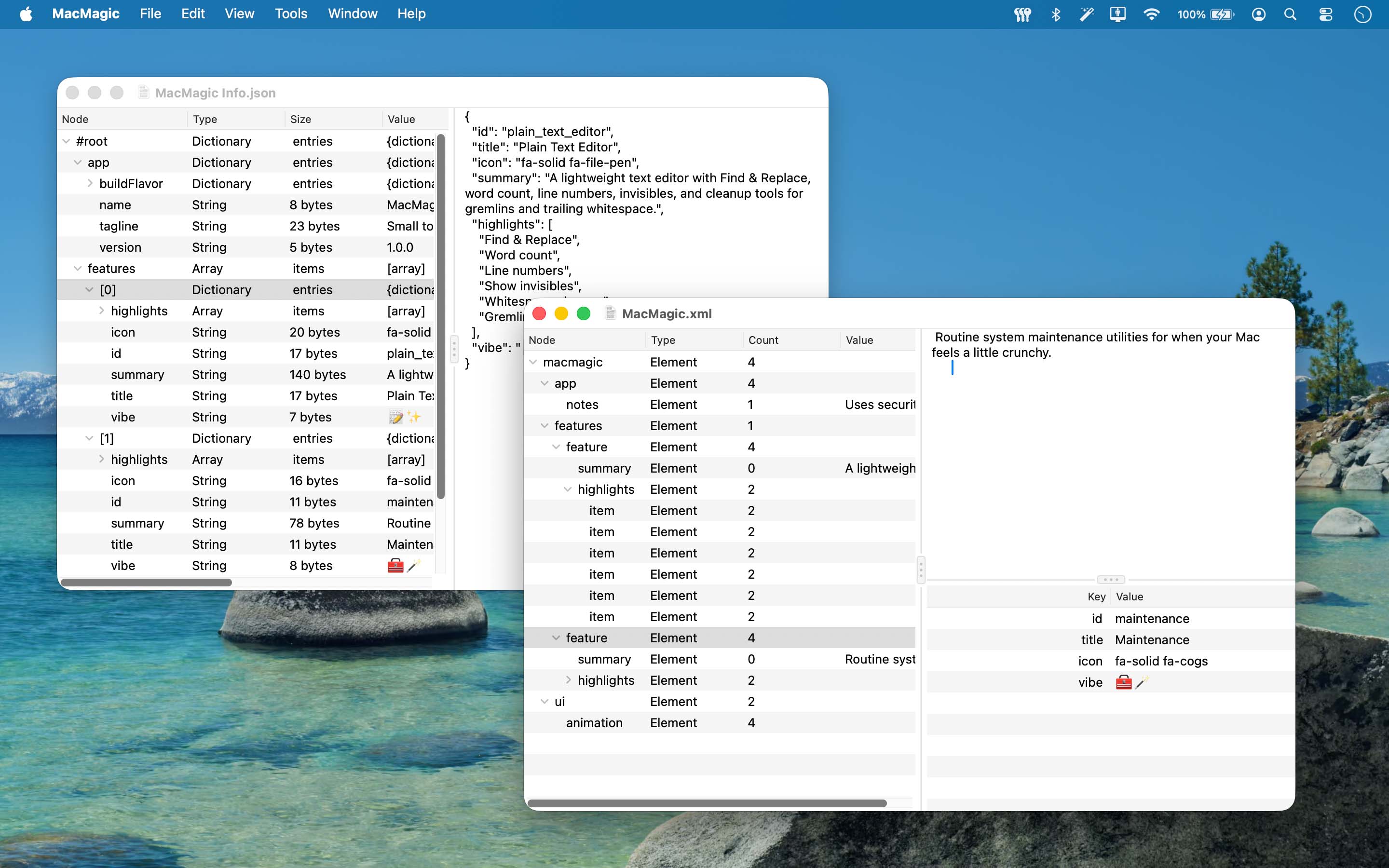
Search structured data, copy paths and values, and view or export original and formatted source alongside the tree.
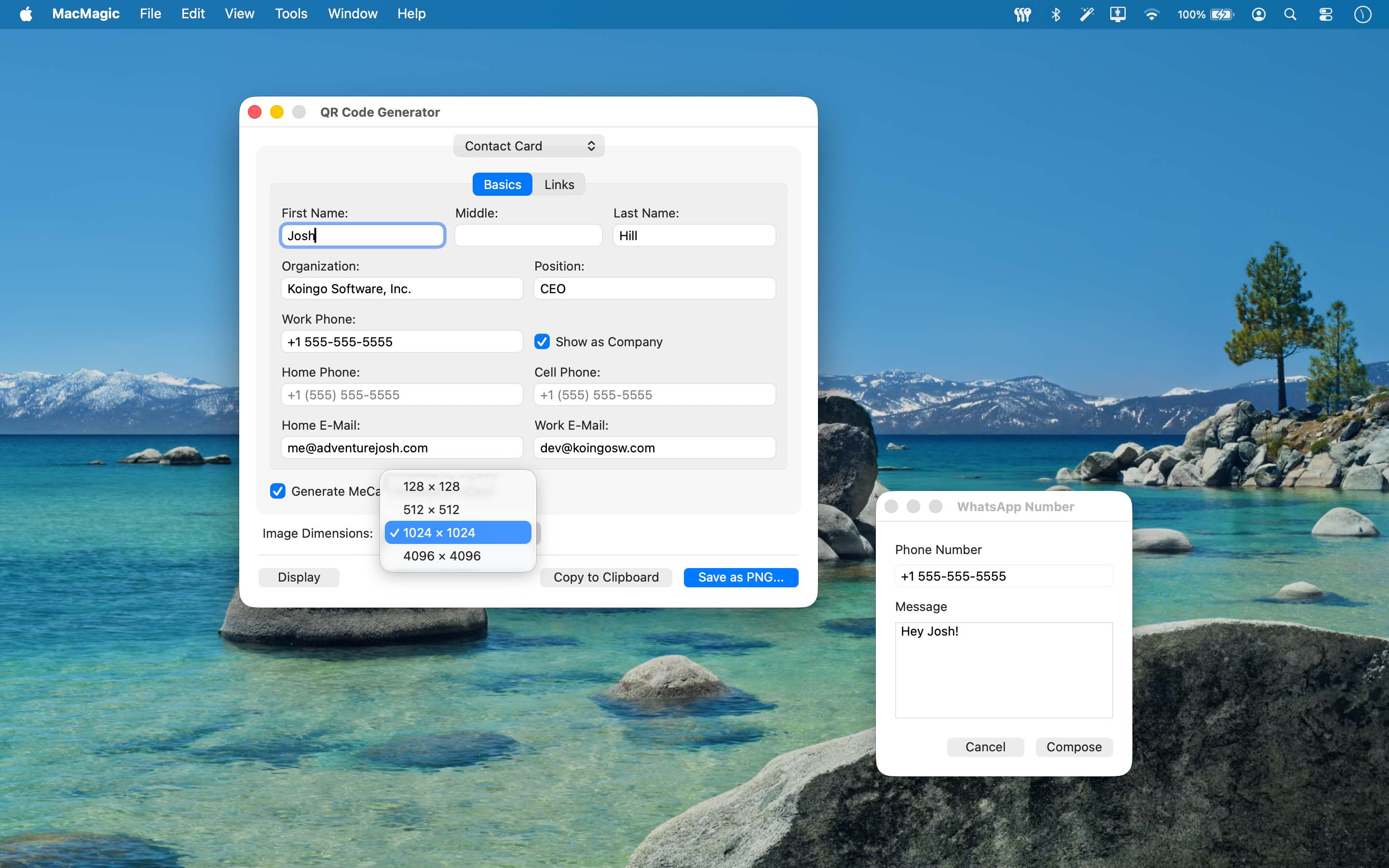
Build codes for contacts, events, links, Wi-Fi and more. Preview, save PNGs, copy payloads and read codes from images.
Inspect open files and processes in the background, with separate normal-quit and force-quit actions.
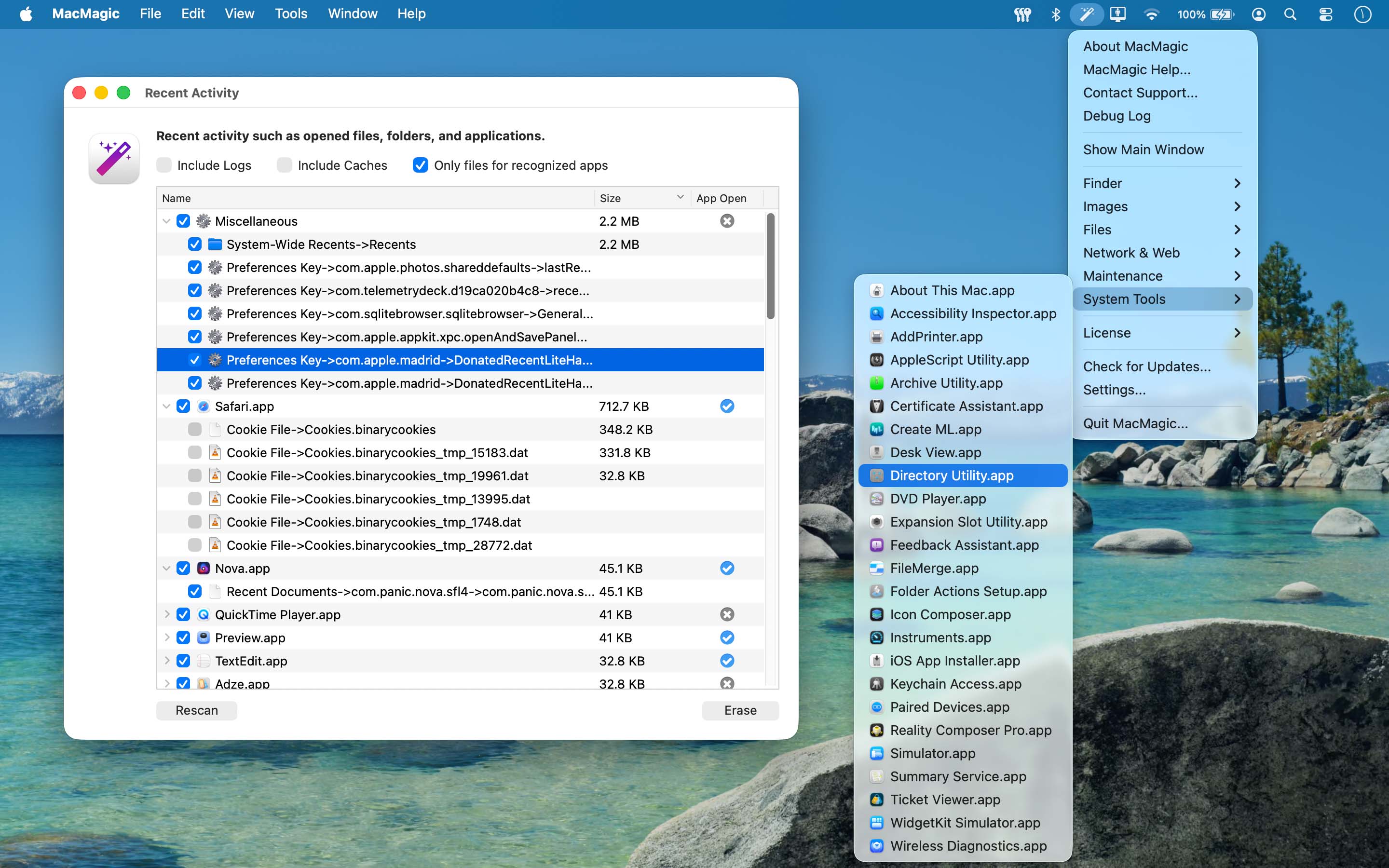
Review recent lists, caches, logs and optional device backups. Apply age limits and inspect selected sizes and scan issues.
Restart or quit Finder, show hidden files, hide desktop icons, and change visibility for selected files and folders.
Launch available built-in utilities from their own Home category, with tools discovered in the background.
Use the appropriate authorized deletion tool or empty the current account’s Trash after reviewing the targets.
Lock or unlock selected items and remove .DS_Store view metadata from chosen folders.
Disconnect the current Wi-Fi network, request a DNS-cache flush, or run the separate memory-cache tool.
Preview and reorder pages, rotate selections, extract pages or split PDFs.
Review a complete rename batch before changing filenames.
Compare the source and proposed image conversion before processing the batch.
Search objects, arrays and values in a tree and copy paths or values.
Explore XML structure and search its content without editing the source file.
Choose clearing categories and minimum ages, then clear only reviewed eligible items.
Combine supported PDF and image pages into a new document.
Batch-convert images using the offered formats and destination options.
Convert and resize videos with the offered video and audio settings.
Keep your own file and folder launch shortcuts in Home.
Identify processes using a file and review normal-quit or force-quit actions.
Use authorized removal tools and empty the current account’s Trash.
Choose an optional keyboard shortcut to open Home from other apps.
Show hidden Finder items and control desktop-icon visibility without deleting the files.
Copy coordinates or export selected or filtered location results.
Lock, unlock, hide or show selected files and folders.
Use the separate Disk Cache progress window for an authorized memory-cache flush.
Save, update, rename, import and export reusable conversion settings.
Open a WhatsApp conversation using an international number and an optional prefilled message.
View or export JSON/XML source and open source in Text Editor.
Choose compression settings, compare sizes and skip outputs that are not smaller.
Keep per-job settings and restore the queue after relaunch, with unavailable sources retained for repair.
Explore GPS-tagged media in Apple or embedded Google maps with filters, selection and Fit All.
Edit text with Find & Replace, line numbers, word wrap and invisible-character display.
Create codes for contact cards, events, email, locations, messages, links, text and Wi-Fi.
Decode supported selected, dropped or clipboard images and inspect their payloads.
Quit Finder without relaunching it or restart it when needed.
Run a supported SELECT query or inspect the selected table’s specification.
Browse one record at a time, with Field Name and Value columns and previous/next arrows.
Clear Finder view metadata from selected folder scopes.
Use tokens, custom numbering, literal find-and-replace and filename case changes while protecting extensions.
Reuse named patterns and undo the last batch with conflict checks.
Choose scale limits or stretching and apply rotation before checking final dimensions.
Inspect grouped recent lists and optional device backups, selected sizes and scan issues.
Search tools and shortcuts by name or category and mark frequently used items as favourites.
Export results, every field of the current record, or tables as separate CSV files, with progress and Stop.
Search all records in a table with a column selector and case-sensitive option.
Find and launch available built-in macOS utilities in a dedicated category.
Clean gremlins and whitespace, inspect word and character counts and jump to a line.
Preserve supported encodings and byte-order marks or choose an output encoding and line-ending style.
Restore or discard local recovery copies after an interrupted editing session.
Manage named video presets and import or export portable settings.
Inspect preview frames and adjust trim points before starting a job.
Disconnect the current Wi-Fi network or request a DNS-cache flush.
1 computer/user · 5 unique devices per year
1 household · 10 unique devices per year
1 computer · 2 unique devices per year
1 school · 300 unique devices per year
10 computers/users · 60 unique devices per year
Unlimited computers/users · 10000 unique devices per year
Prices in USD.
For older licences and operating systems. These releases are no longer supported.
2 downloads
| Version 2.0.1 – October 25, 2026 | |
| Requirements This version requires macOS 13 (Ventura) or later. | |
| Bug Fix: | Quit and Command-Q work when the Dock icon is shown and stay disabled when it is hidden. Changing the Dock preference updates both immediately. |