Make room for what matters.
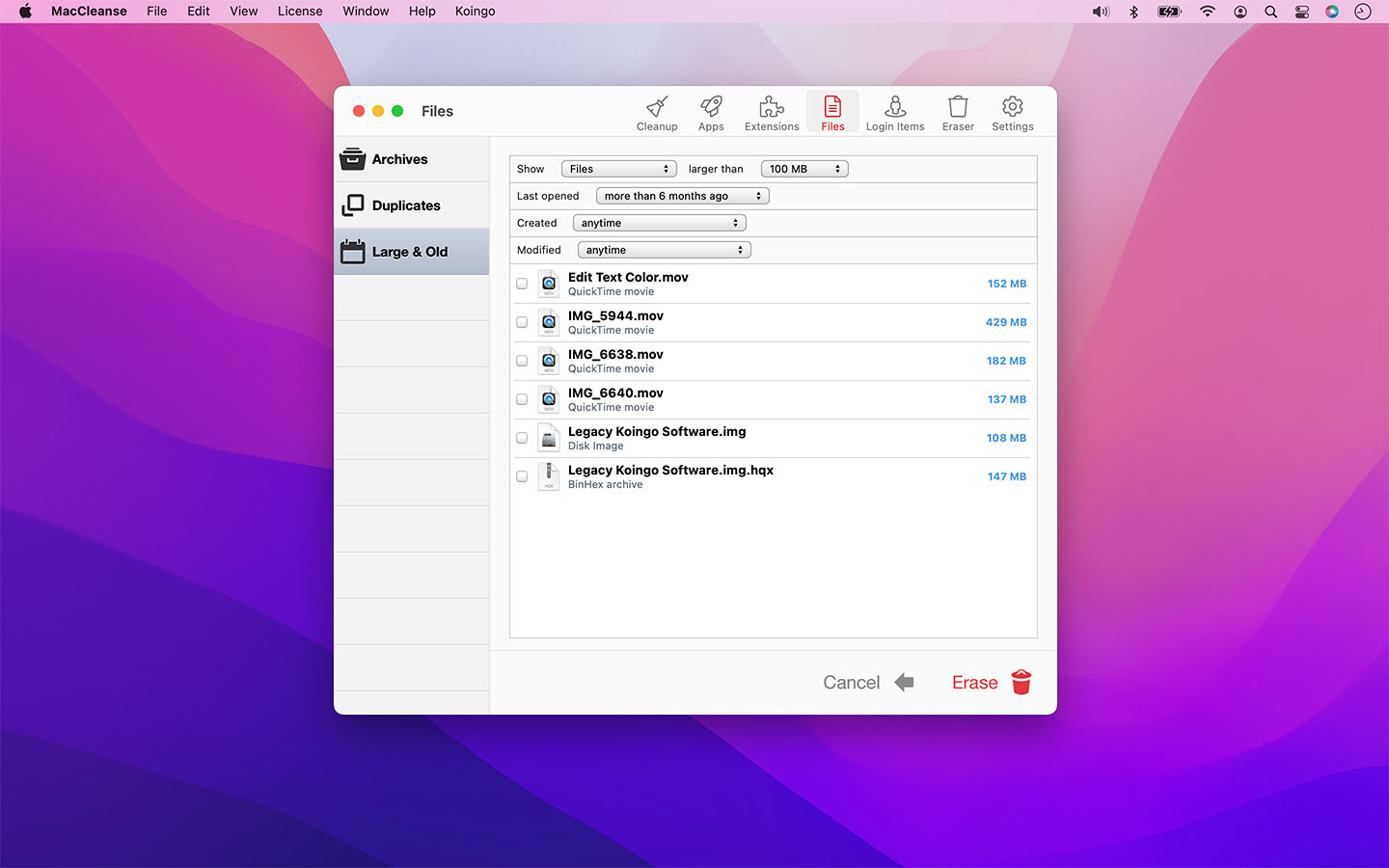
Find cleanup candidates, large files and duplicate copies.


Most of us know the pain of using a shared computer. Privacy is a valued commodity in today's world, and maintaining it does not have to be a hassle. MacCleanse securely scans your system for activity and erases the desired information.
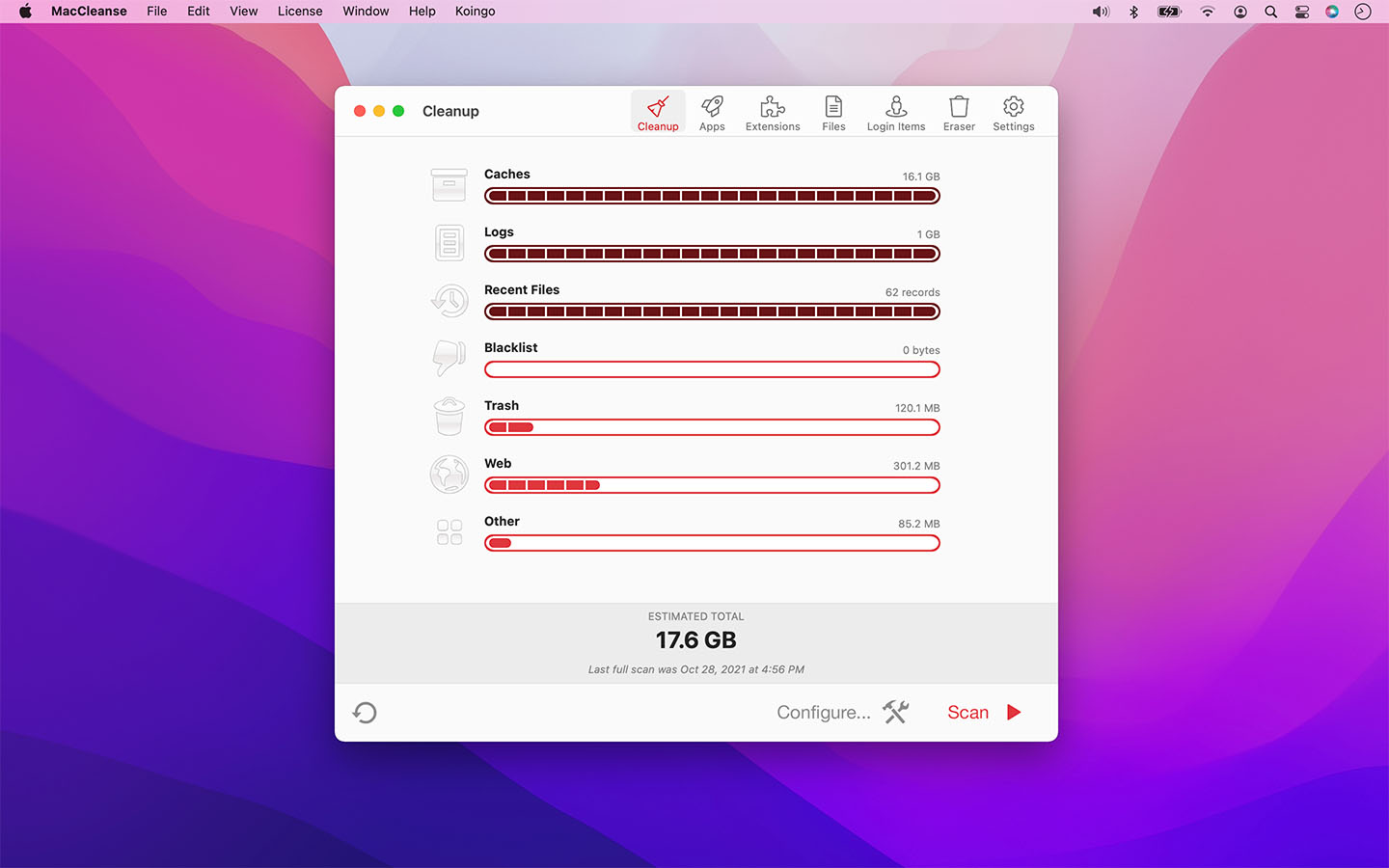

Find cleanup candidates, large files and duplicate copies.
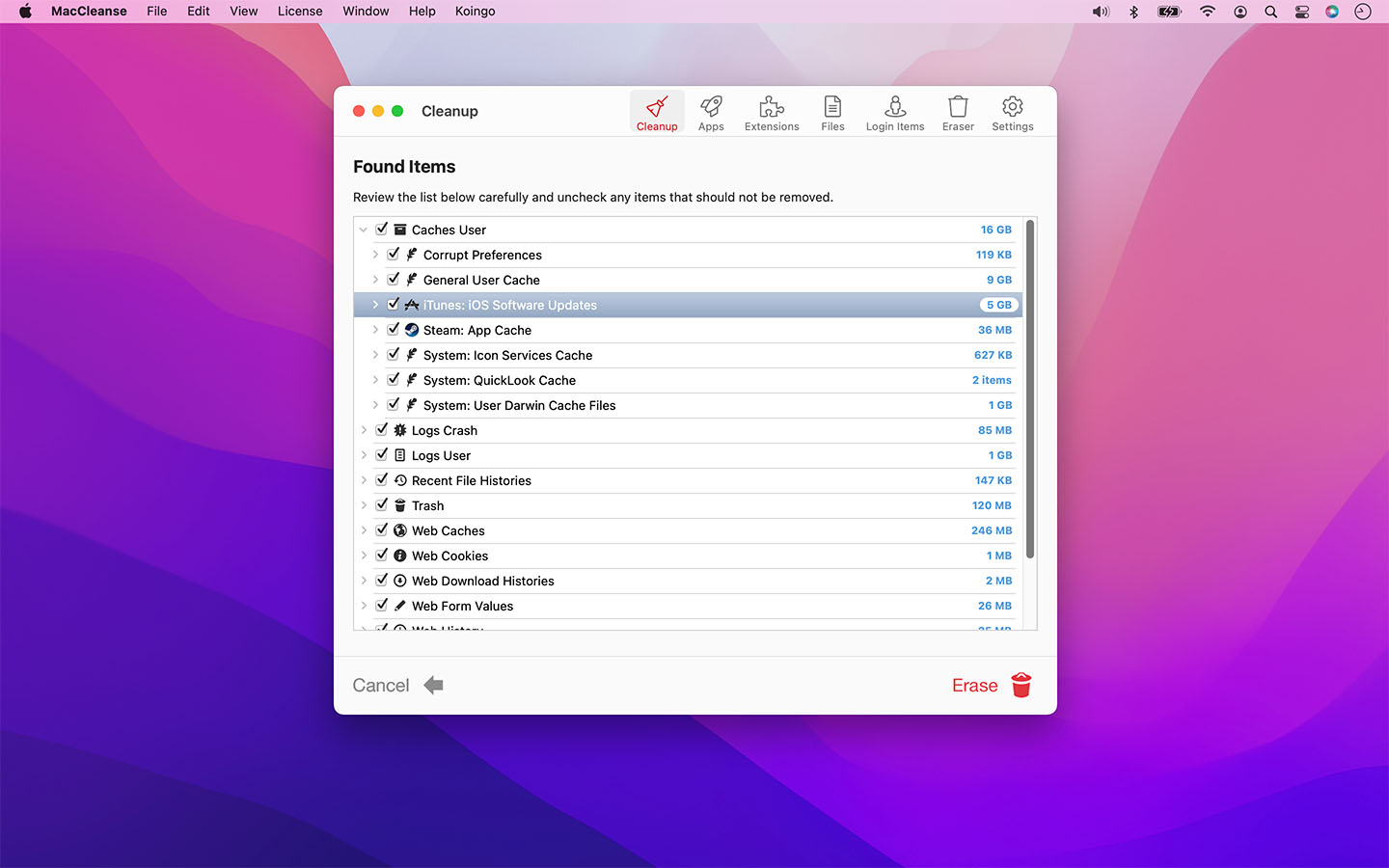
Review the scan breakdown and choose what belongs in your cleanup.
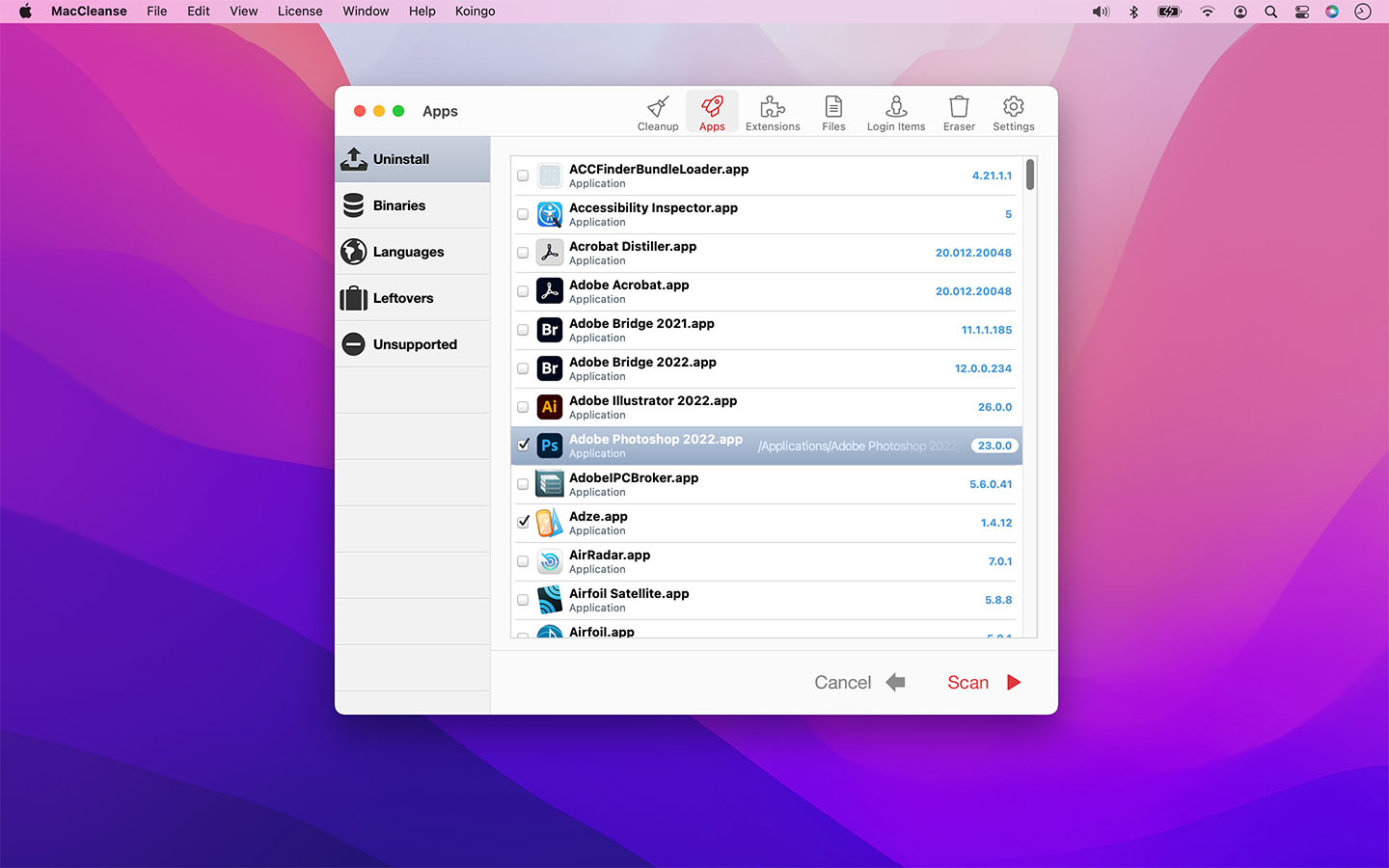
Uninstall applications and look for files left by earlier removals.
MacCleanse is the product of thousands of hours of intense research and development. It meticulously scans all of the nooks and crannies of a computer for unnecessary junk that can take up huge amounts of disk space!
Because of this, Apps in MacCleanse are also uninstalled correctly, catching the numerous logs, caches, plugins, and other resources left behind versus simply dragging them to the Trash.
Your privacy is protected and computer performance enhanced by MacCleanse as it wipes your web and app histories, and can toggle resource-hungry extensions!
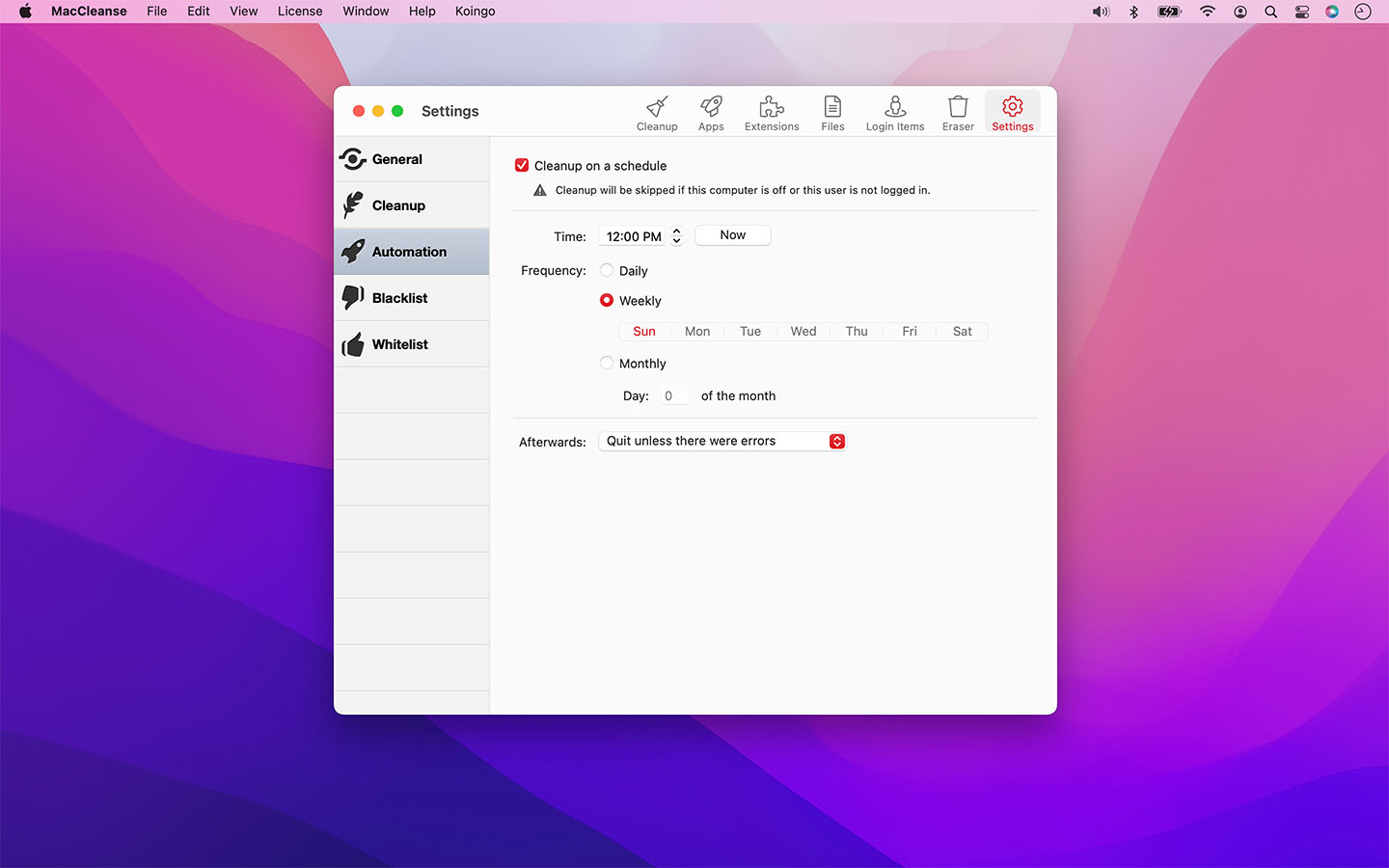
MacCleanse can be configured to run daily, weekly, or monthly on a recurring schedule to ensure scans are performed regularly! No schedule set? It'll still remind you once in a while!
MacCleanse will prompt you to complete uninstall an app if you're incorrectly dragging it to the Trash.
Specify files and folders that should never get touched during a cleanup, or files that should always be erased.
Enhanced with the security of some of the most complex algorithms in the industry, MacCleanse ensures the data you want to keep is protected from erasure, while everything else is wiped! Detailed scan results also allow you to completely review what is to be removed prior to erasure.
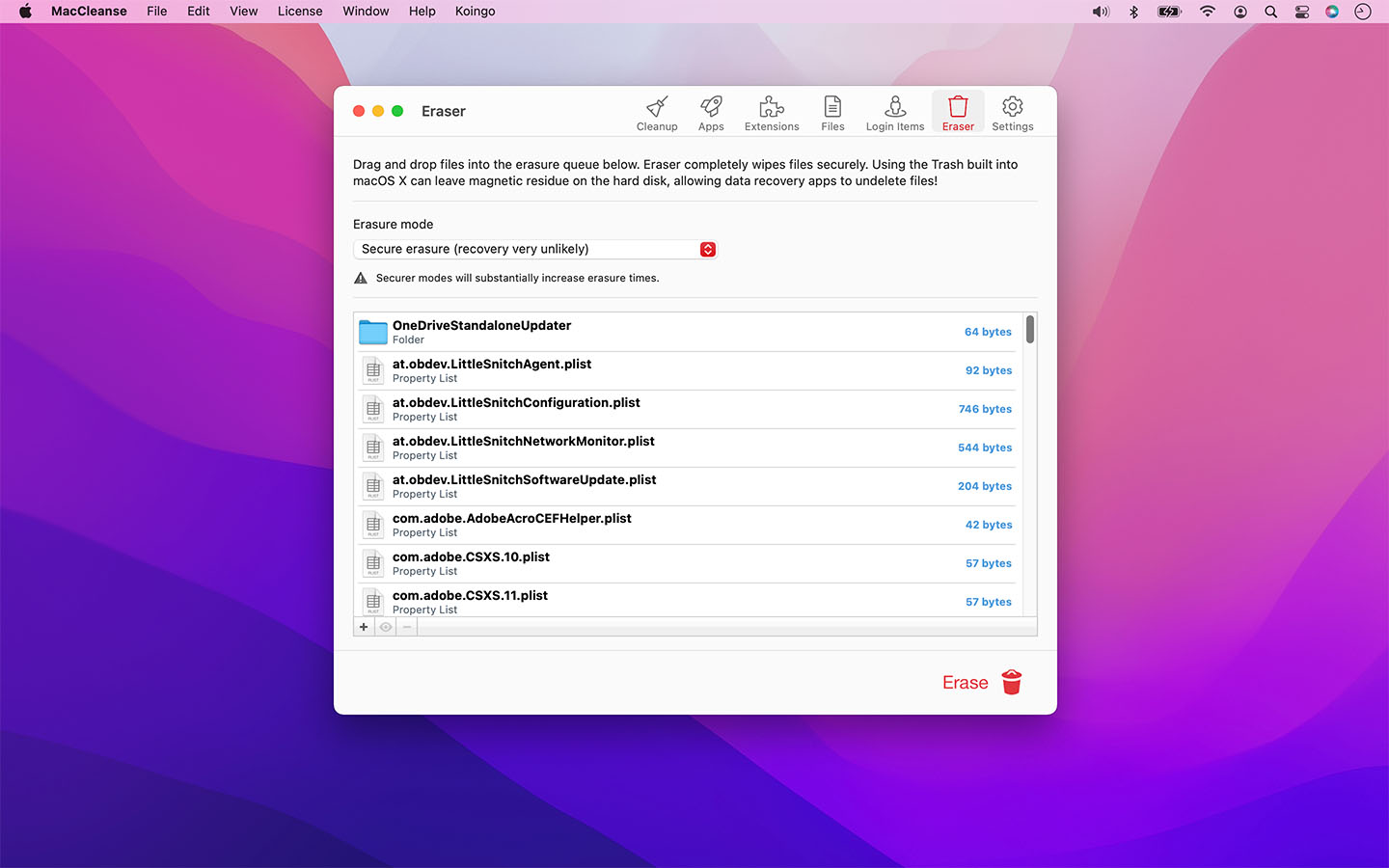
Choose from a variety of erasure types from quick and simple to military grade. Ensure files are never undeleted even with the most powerful recovery tools!
Erase app & web histories, cookies, caches, logs, and auto-fill values to both save disk space and protect your privacy.
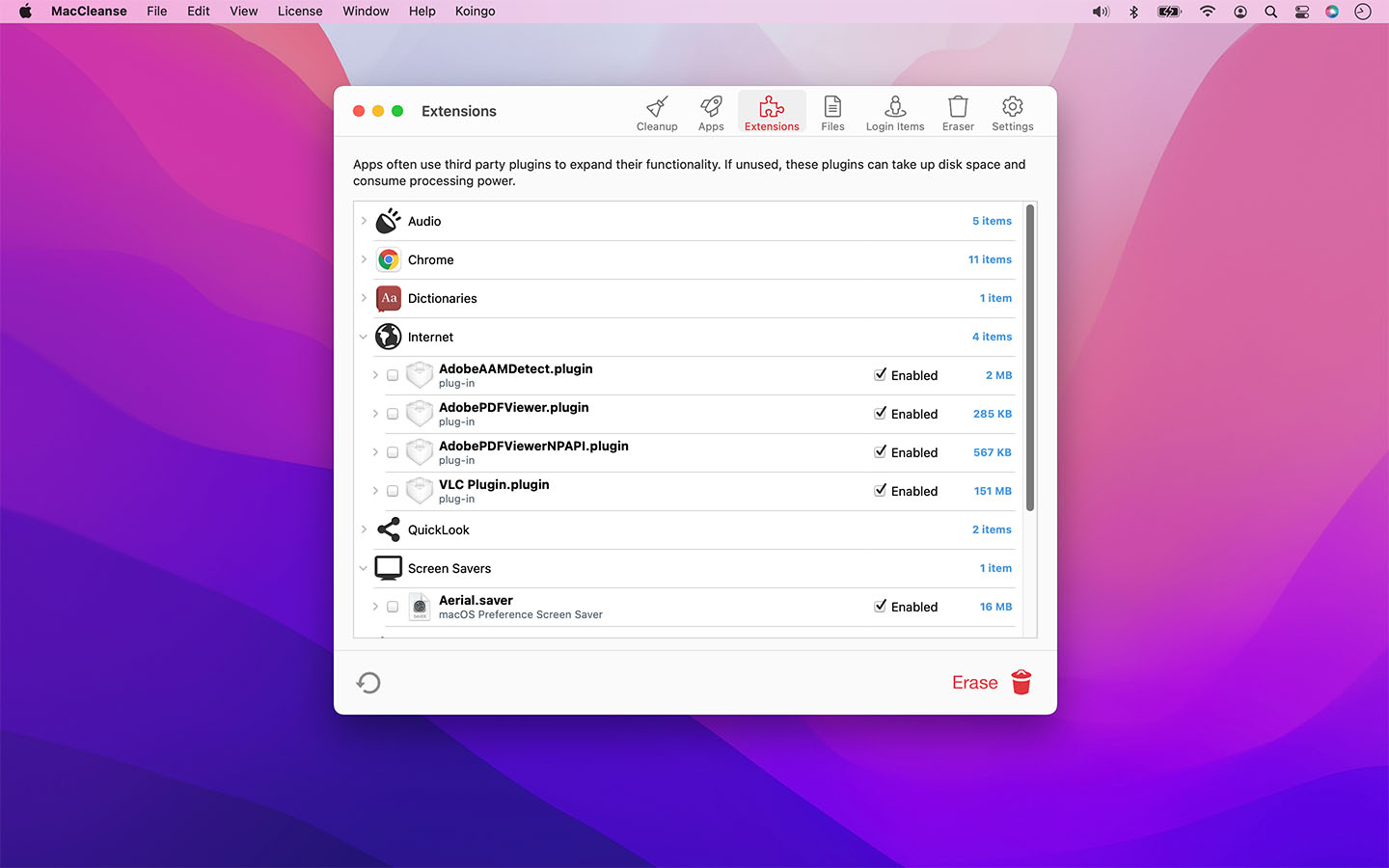
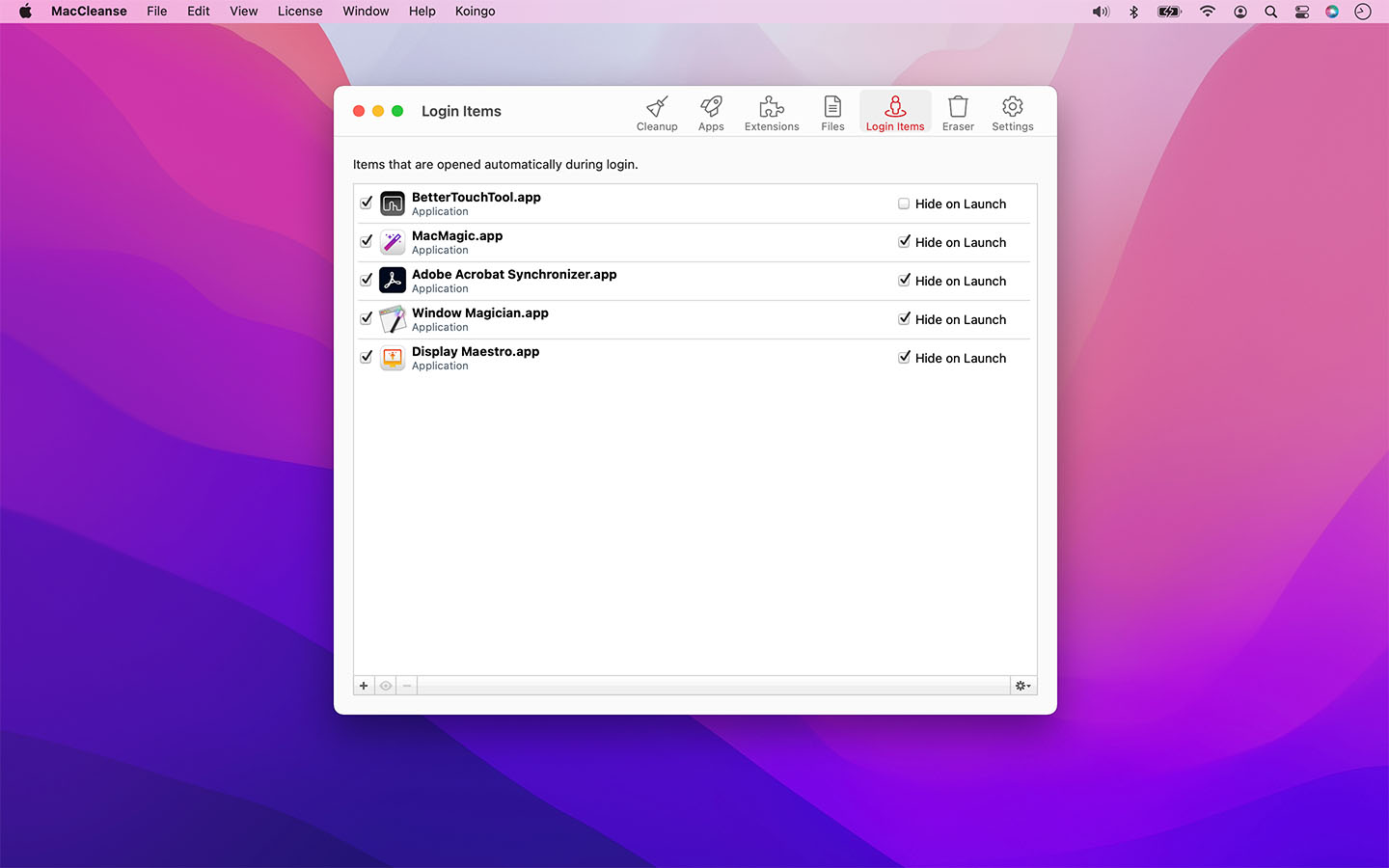
Enable or disable screen savers, web browser plugins, preference panes, login items, and system plugins on the fly; only loading them when you need them to save system resources.
Using the most sophisticated and safe algorithm in the industry, MacCleanse can identify and flag duplicate copies of files.
Identify and disable unwanted login items that could be slowing down system startup times or hogging background CPU usage.
Cut the fat out of installed apps by removing unused language packs and trimming off legacy PowerPC binary data.
Find junk left behind by apps that were incorrectly uninstalled in the past.
Locate files used to package downloads that are no longer required after installing apps.
Schedule automatic system cleanup.
Create multiple custom cleanup configurations to remove only specific items.
Provides a complete breakdown of scans to clearly identify what is planned for erasure.
Scan for items left behind by incorrectly uninstalled apps.
Exhaustively locate duplicate files and erase copies that are taking up space.
Shred files with more security than the Trash; choose between fast or secure removal.
Lists installed apps that aren't compatible with your computer.
Remove alternative languages packs from apps you'll never use!
Find old files that are taking up large amounts of space.
Save resources by disabling plugins, screen savers, login items, and more.
Automatically determines which files to remove to save space.
Expunge legacy components of apps designed for backwards compatibility with older systems.
Remove apps and all their associated logs, caches, preferences and more.
1 computer/user · 5 unique devices per year
1 household · 10 unique devices per year
1 computer · 2 unique devices per year
1 school · 300 unique devices per year
10 computers/users · 60 unique devices per year
Unlimited computers/users · 10000 unique devices per year
Prices in USD.
For older licences and operating systems. These releases are no longer supported.
16 downloads
| Released | Compatibility | Download |
|---|---|---|
| March 8, 2026 |
From macOS 11 (Ventura) Through macOS 26 (Tahoe) Optimized for macOS 26 Tahoe. |
96.51 MB |
| Released | Compatibility | Download |
|---|---|---|
| January 5, 2025 |
From macOS 10.15 (Catalina) Through macOS 15 (Sequoia) Optimized for macOS 15 Sequoia. |
92.87 MB |
| Released | Compatibility | Download |
|---|---|---|
| November 10, 2023 |
From 10.14 Compatible with macOS 10.14 (Mojave) to macOS Sonoma (14) |
88.54 MB |
| Released | Compatibility | Download |
|---|---|---|
| October 24, 2022 | From macOS 10.14 (Mojave) | 75.21 MB |
| Released | Compatibility | Download |
|---|---|---|
| October 28, 2021 | From macOS 10.14 to 13 (Intel/Arm) | 65.46 MB |
| Released | Compatibility | Download |
|---|---|---|
| February 23, 2021 | From macOS 10.14 to 11 (Intel/Arm) | 63.60 MB |
| Released | Compatibility | Download |
|---|---|---|
| May 8, 2020 |
From macOS 10.13 to 10.15 Last compatible version for 10.13 through 10.15 |
43.09 MB |
| Released | Compatibility | Download |
|---|---|---|
| November 27, 2018 | From Mac OS X 10.10 or later | 55.81 MB |
| Released | Compatibility | Download |
|---|---|---|
| April 17, 2018 | From Mac OS 10.10 (Intel) | 40.51 MB |
| Released | Compatibility | Download |
|---|---|---|
| February 9, 2017 | From Mac OS 10.9 (Intel) | 29.97 MB |
| Released | Compatibility | Download |
|---|---|---|
| December 15, 2014 | From Mac OS 10.7 (Intel) | 15.60 MB |
| Released | Compatibility | Download |
|---|---|---|
| January 20, 2014 |
From Mac OS 10.6 (Intel) Designed for Mac OS X 10.4 & 10.5. May work on earlier systems, but this is untested. |
15.47 MB |
| Released | Compatibility | Download |
|---|---|---|
| May 1, 2013 |
From Mac OS 10.6 (Intel) Last Version for Mac OS X 10.6, Designed for Mac OS X 10.7 through 10.9 |
13.60 MB |
| Released | Compatibility | Download |
|---|---|---|
| October 16, 2012 |
From Mac OS 10.4 (PPC/Intel) Designed for Mac OS X 10.6 through 10.8 |
21.31 MB |
| Released | Compatibility | Download |
|---|---|---|
| May 4, 2011 |
From Mac OS 10.4 (PPC/Intel) Last Version for Mac OS X 10.4/10.5 |
8.66 MB |
| Released | Compatibility | Download |
|---|---|---|
| May 9, 2010 |
From Mac OS 10.4 (PPC/Intel) This version requires a special "fix" be implemented before being launched. See our FAQ entry about Secret Preferences and enabling Ultra Debugging Mode. |
7.60 MB |
| Version 15.0 – August 29, 2026 | |
|
Requirements This version requires at least macOS 11 (Big Sur from Fall 2020); however, it is designed specifically for macOS 27 (Golden Gate from Fall 2026). We have all older versions available for download on our web site. Please use the one designed for your version of macOS. A current, valid, license for any Koingo app will unlock all previous versions. |
|
| Upgrade Notes This upgrade is free for users owning the current major version, an active subscription, Utility Package Pro, or a "lifetime license." No action is required other than downloading the new version from our web site and unlocking as normal with an e-mail address. For all other users, orders for the current version can be purchased on our web site. |
|
| Enhancement: | macOS Golden Gate support. |