
-
 MacPilot 17Version 17.5Scared of the terminal or can't be bothered to remember those commands to customize your system the way you want? MacPilot is your digital savior. Easily enable and disable hidden features in macOS.View Downloads Buy Now
Power Unlocked
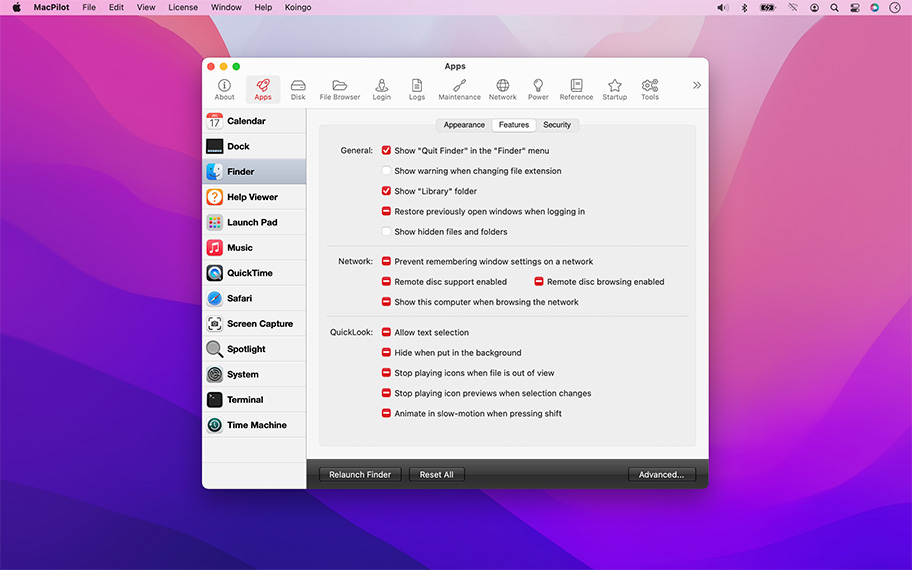
With the power of Unix and the simplicity of Macintosh, you have a phenomenal amount of untapped power in your hands! Use MacPilot to unlock over 1,200 features, and access them all with the easy and familiar Macintosh user interface. No command line tools or complicated file operations!
Display hidden files in the Finder, disable the startup chime, add spacers and stacks to the Dock, change the screenshot file format, run maintenance tools, tweak network settings, force empty the Trash, and tons more. Keep yourself in awe and busy for days as you discover how much macOS has "under the hood".
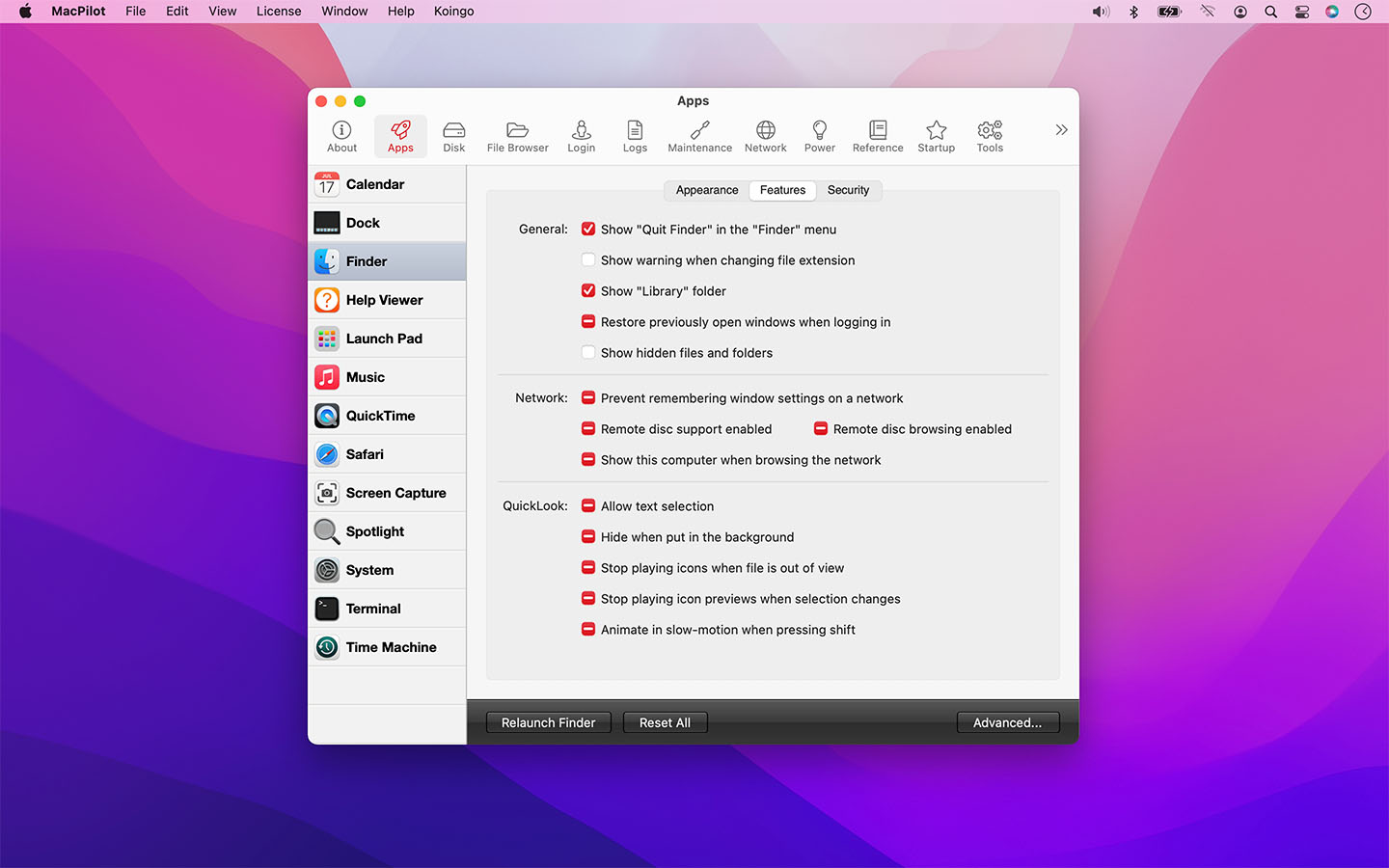

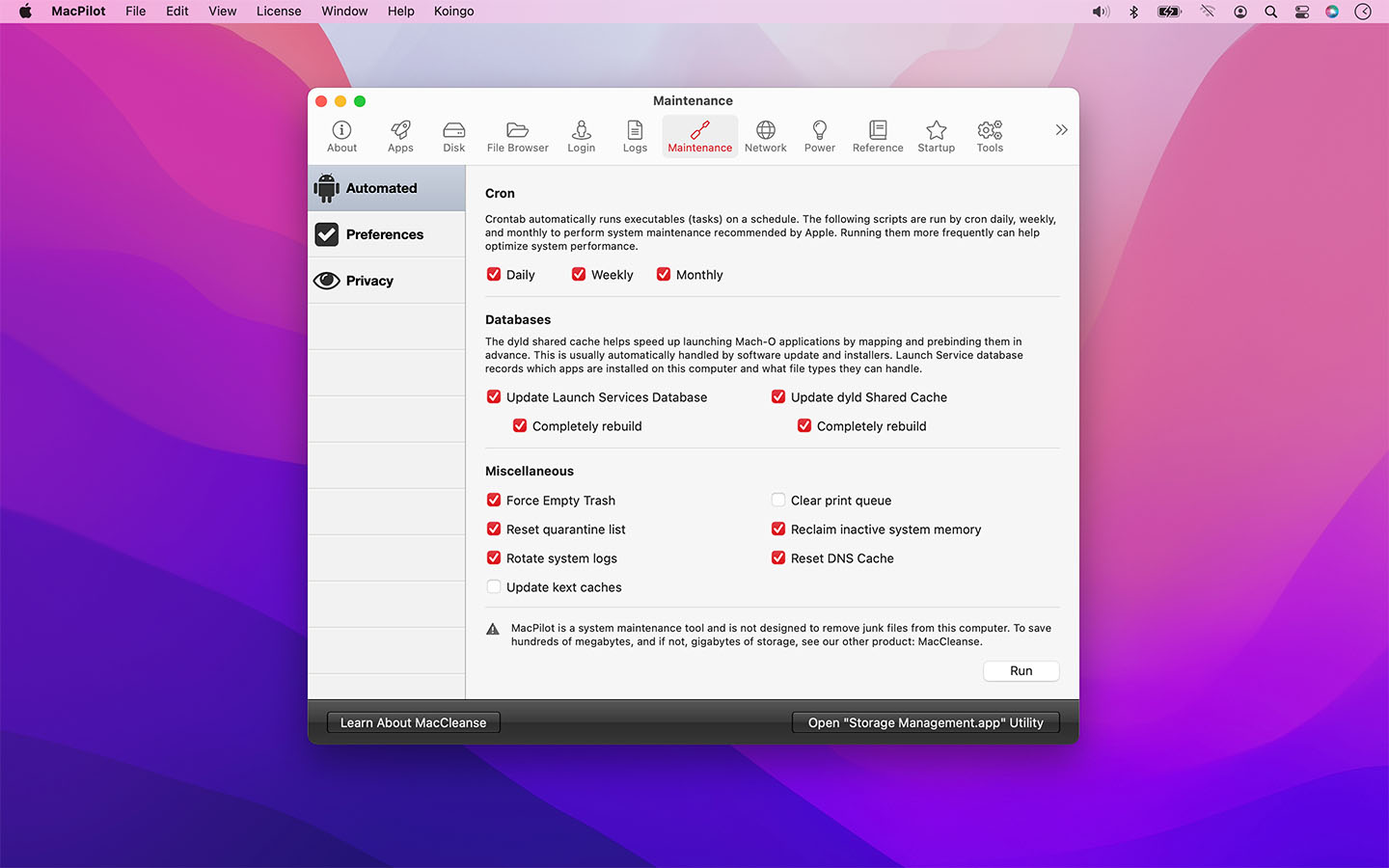
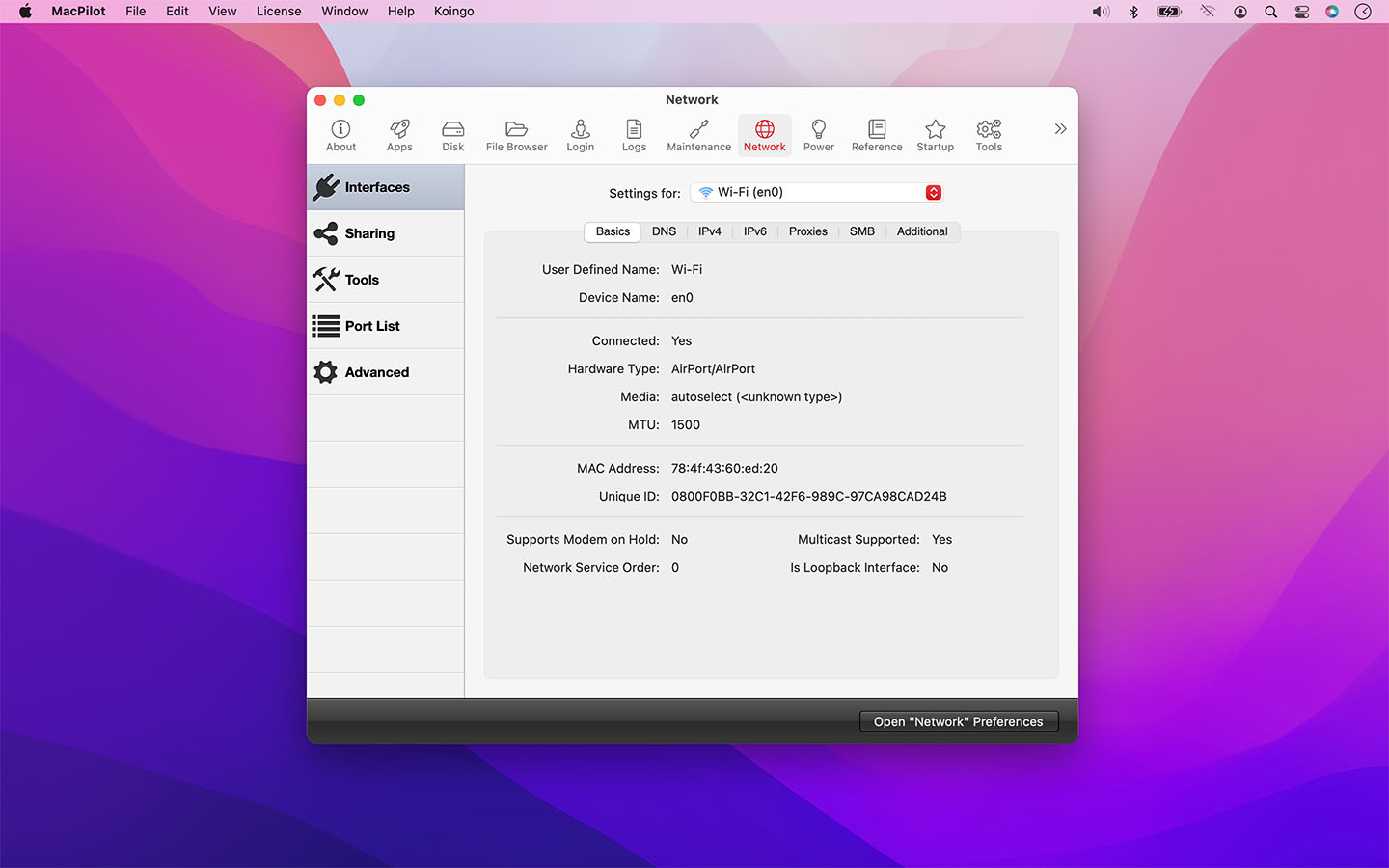
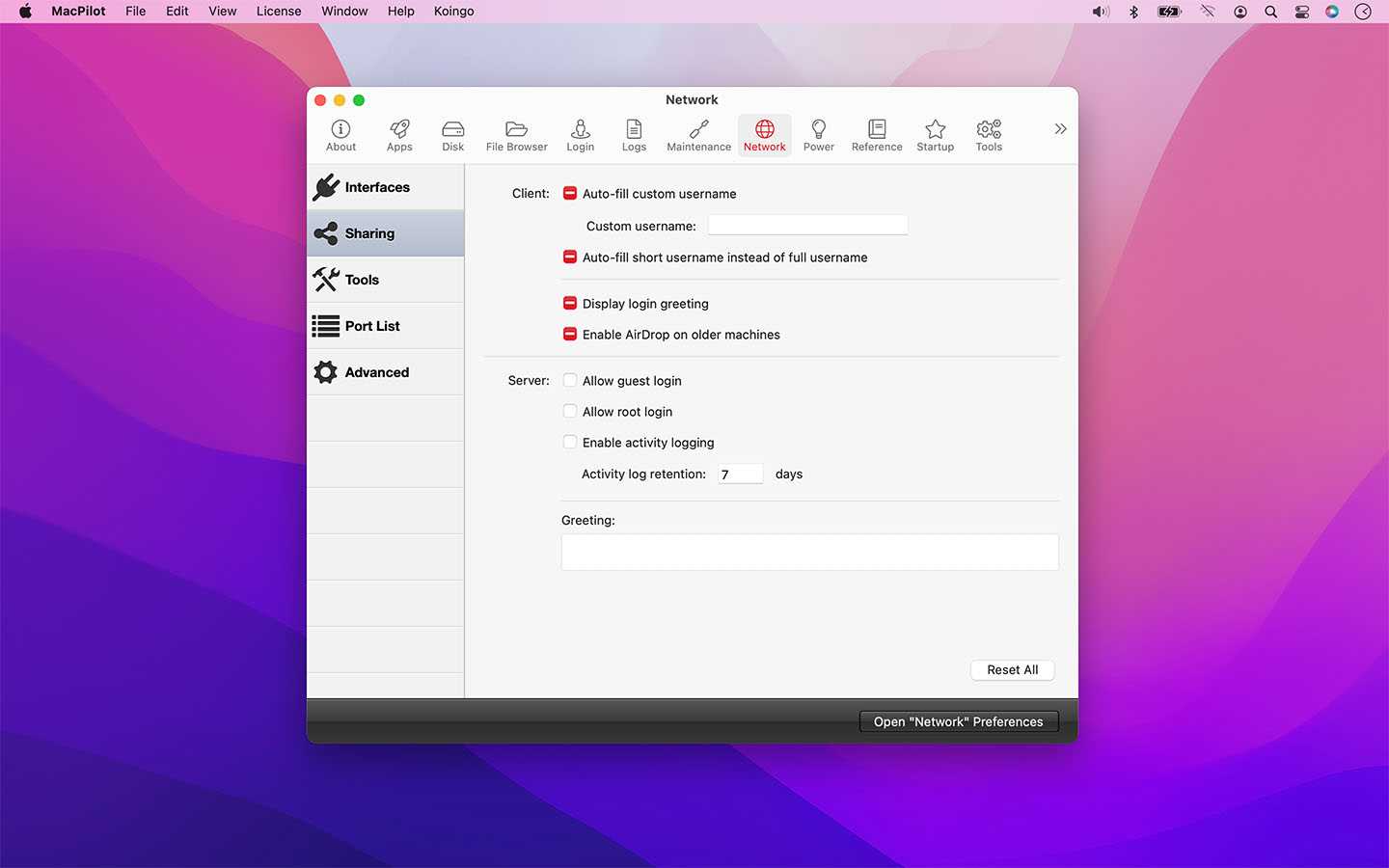
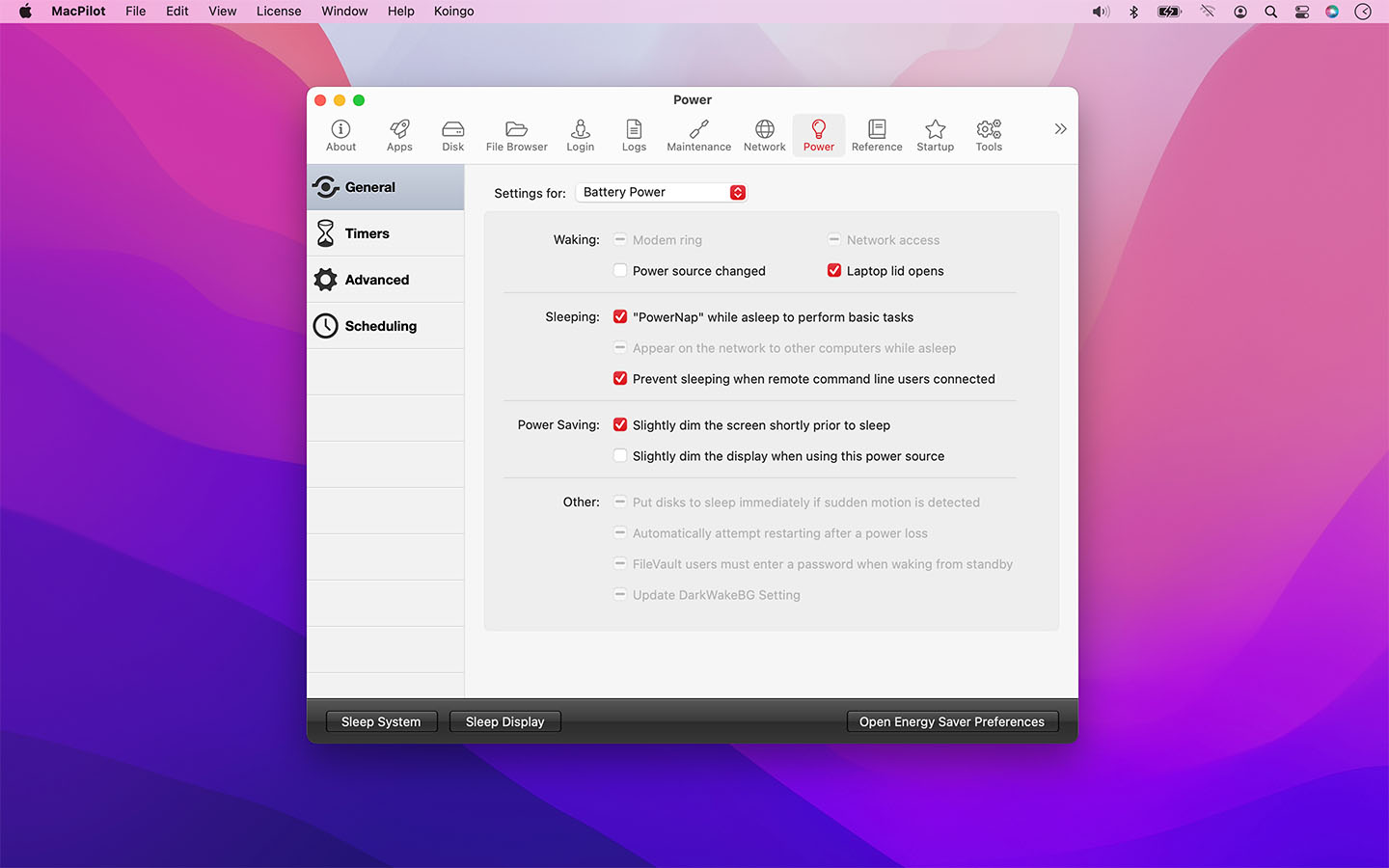
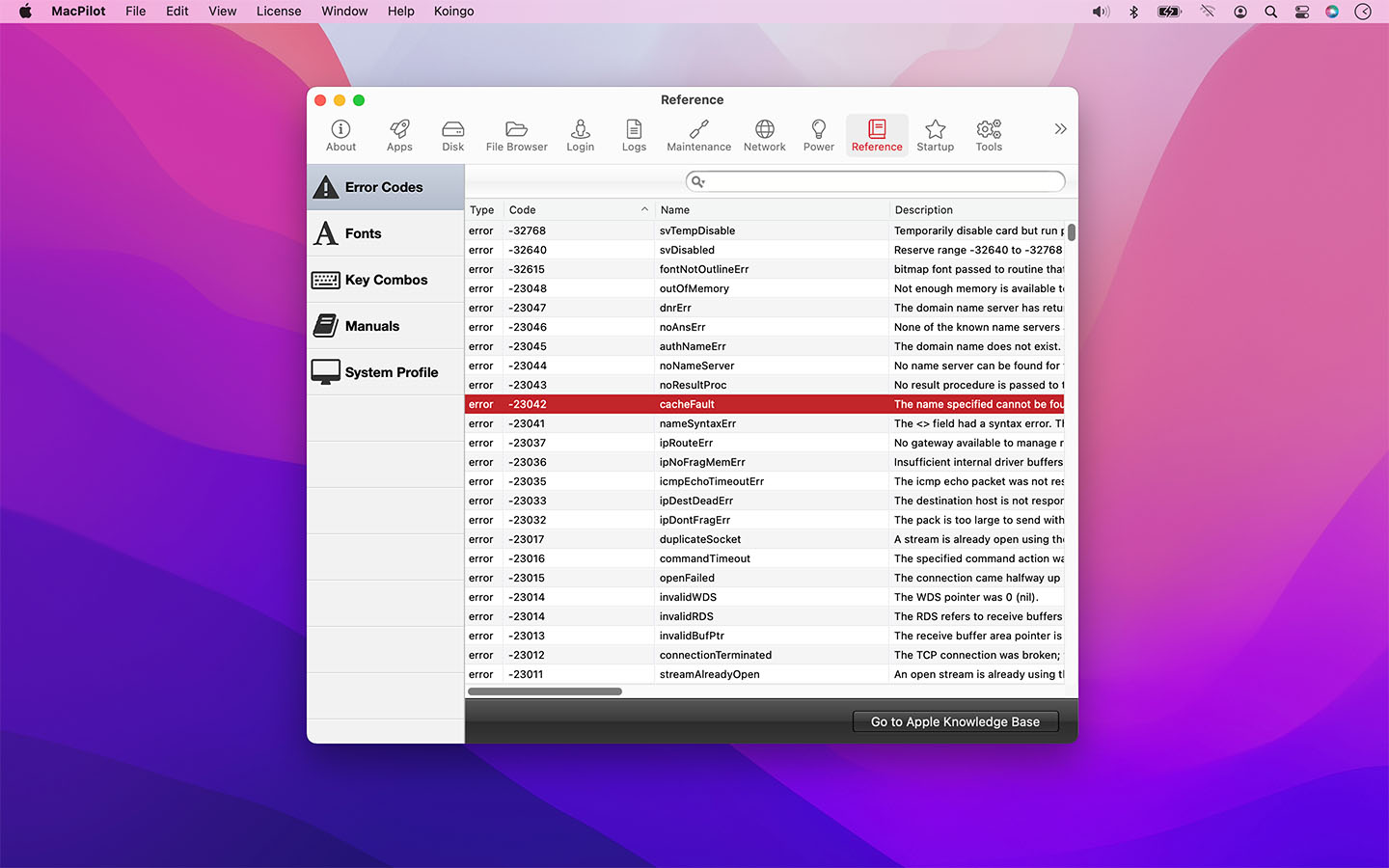
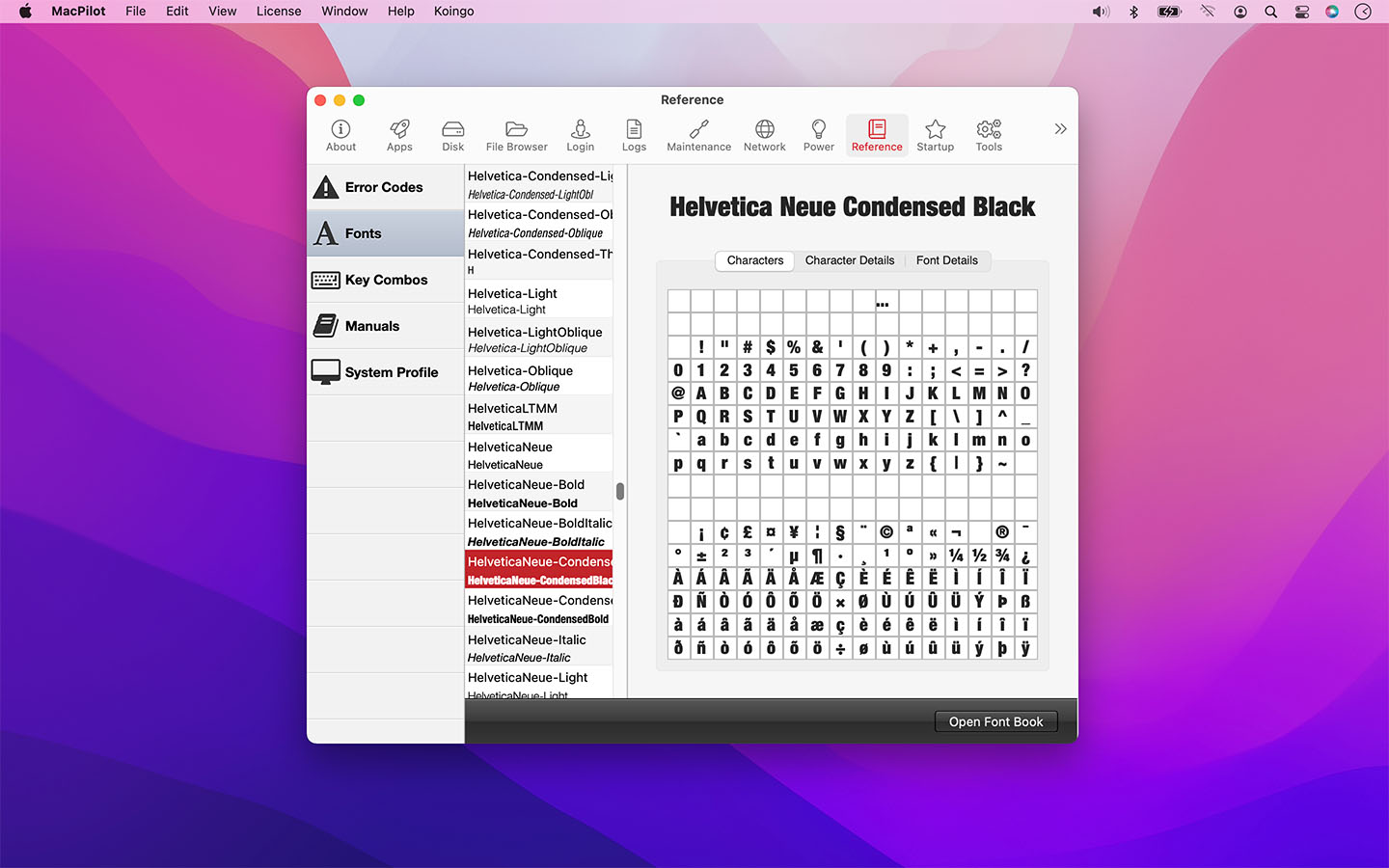
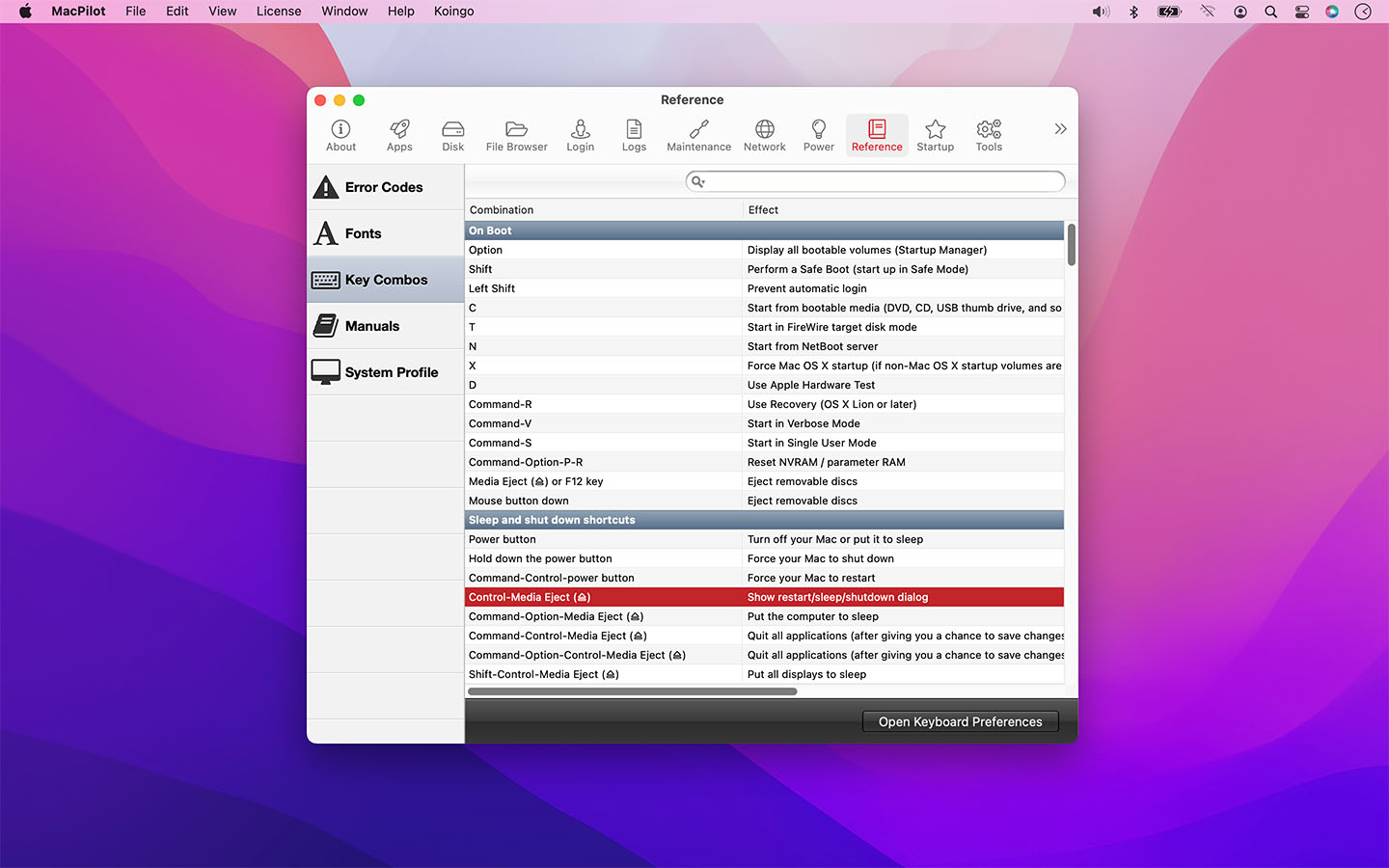
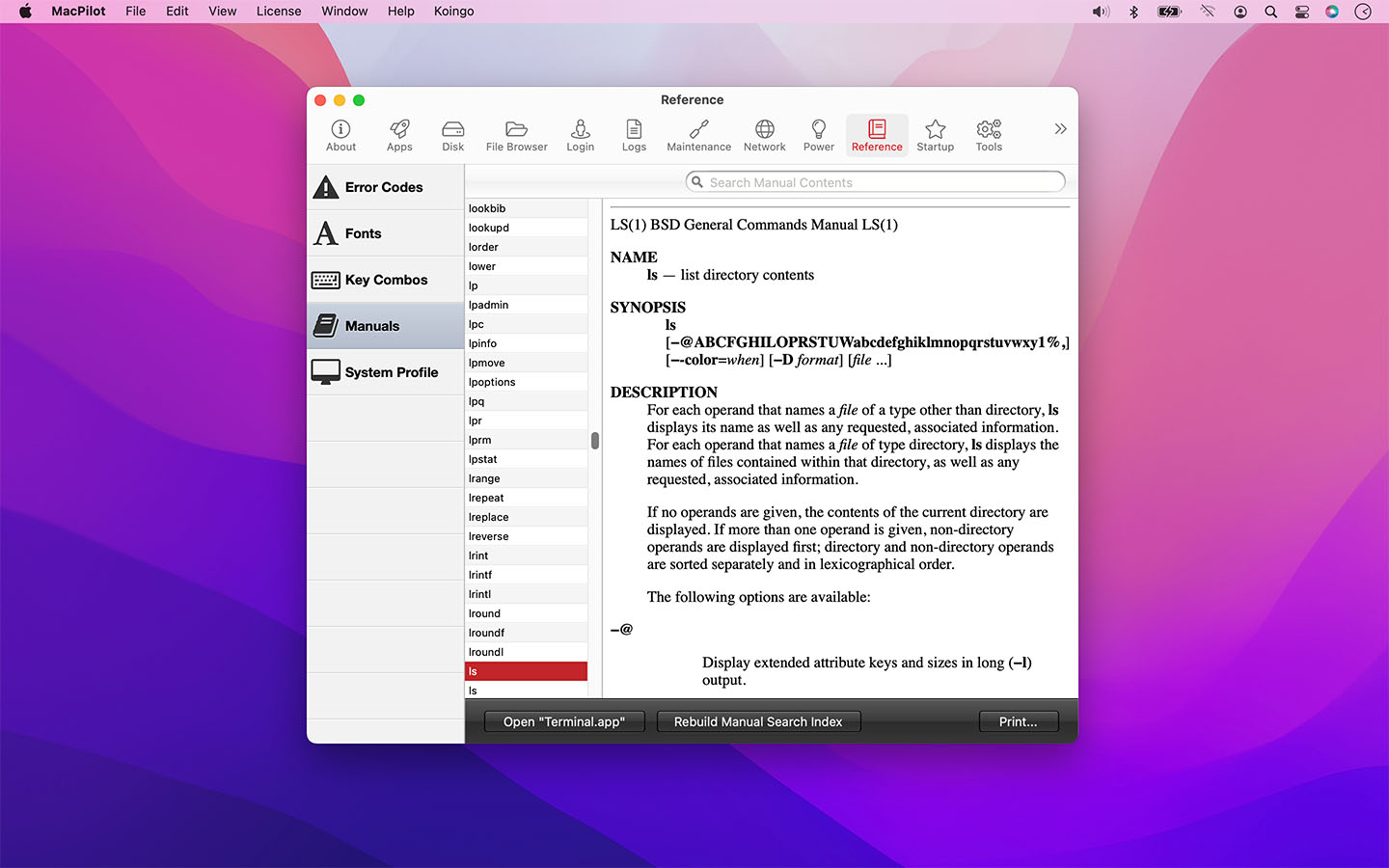
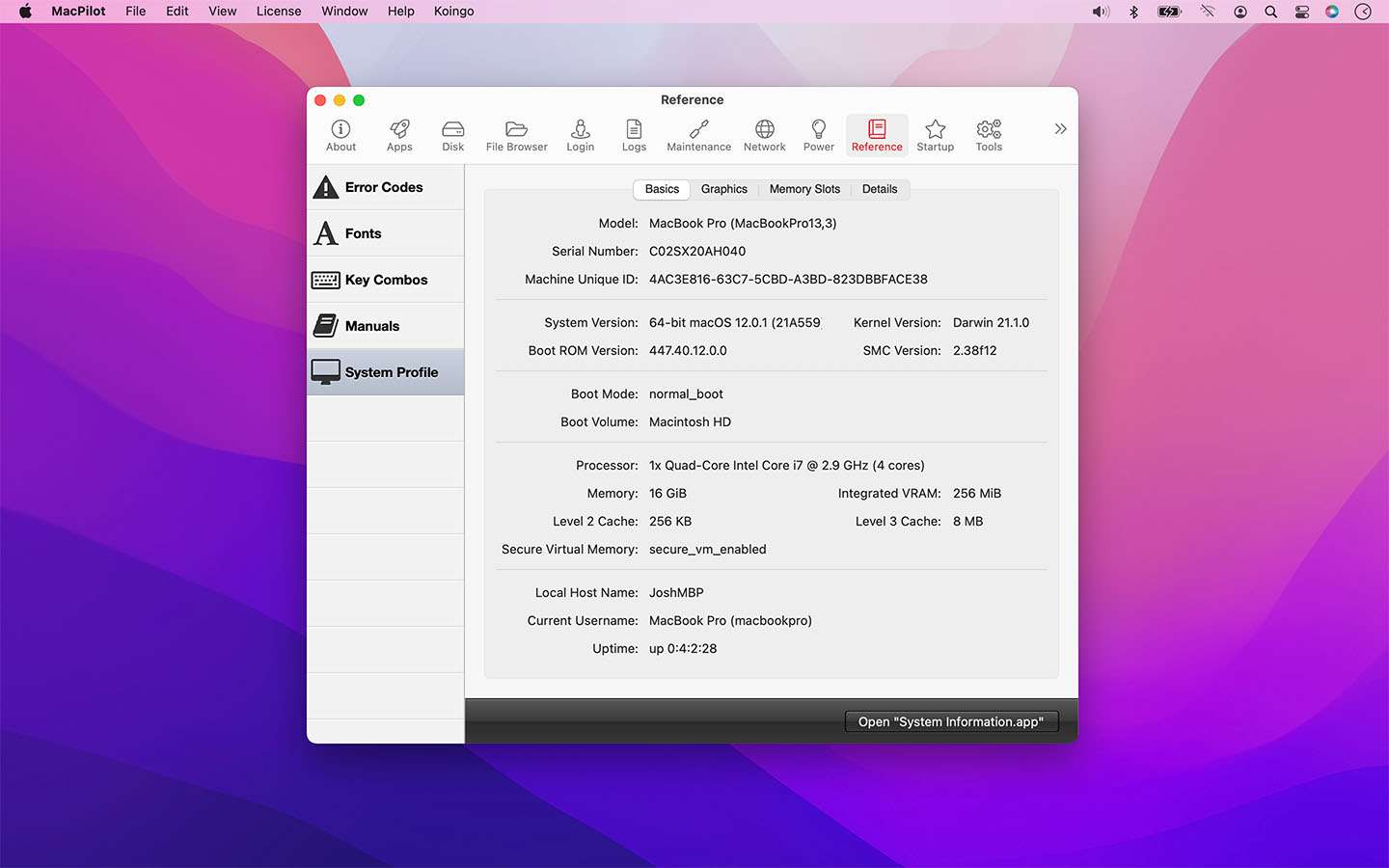
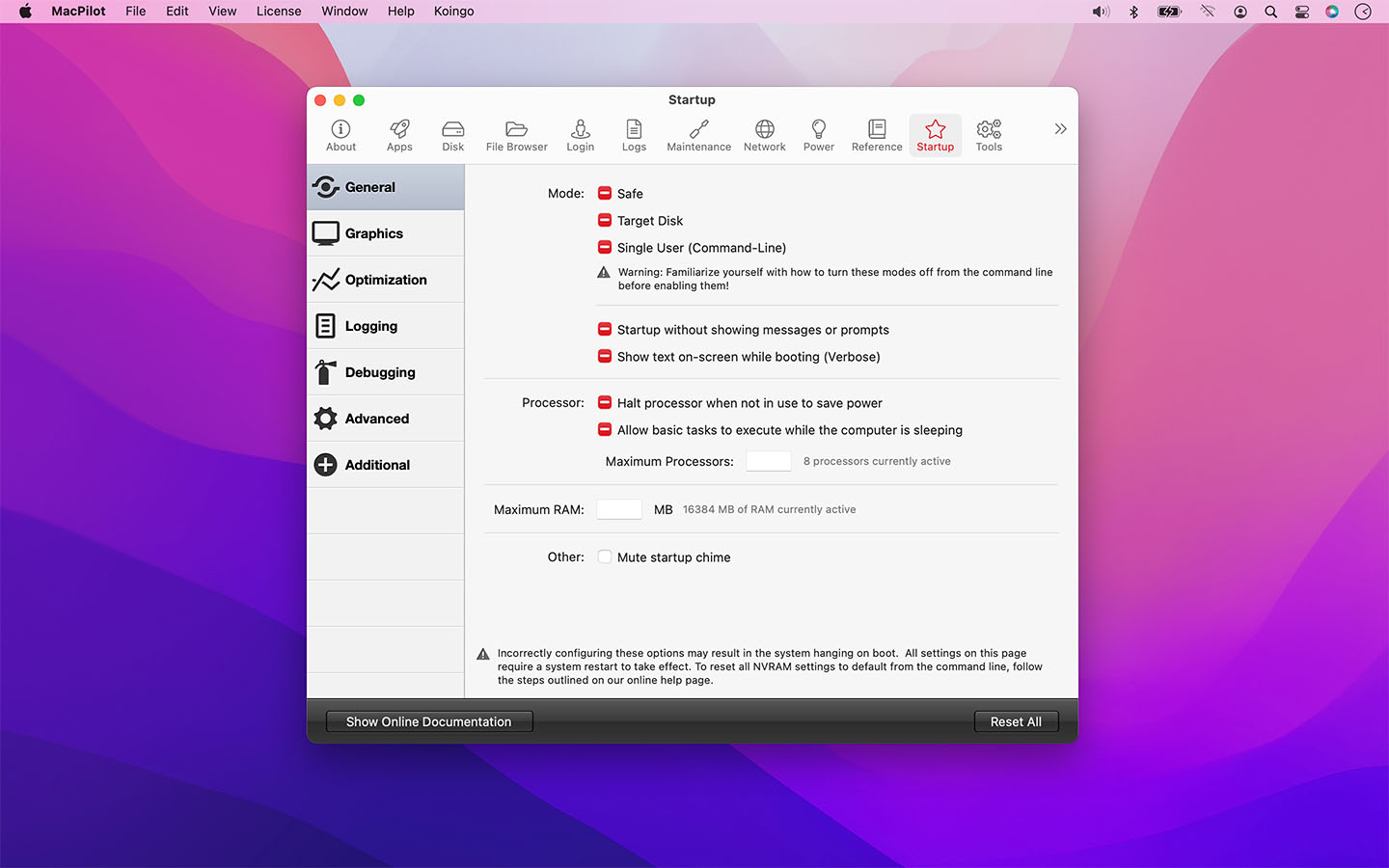

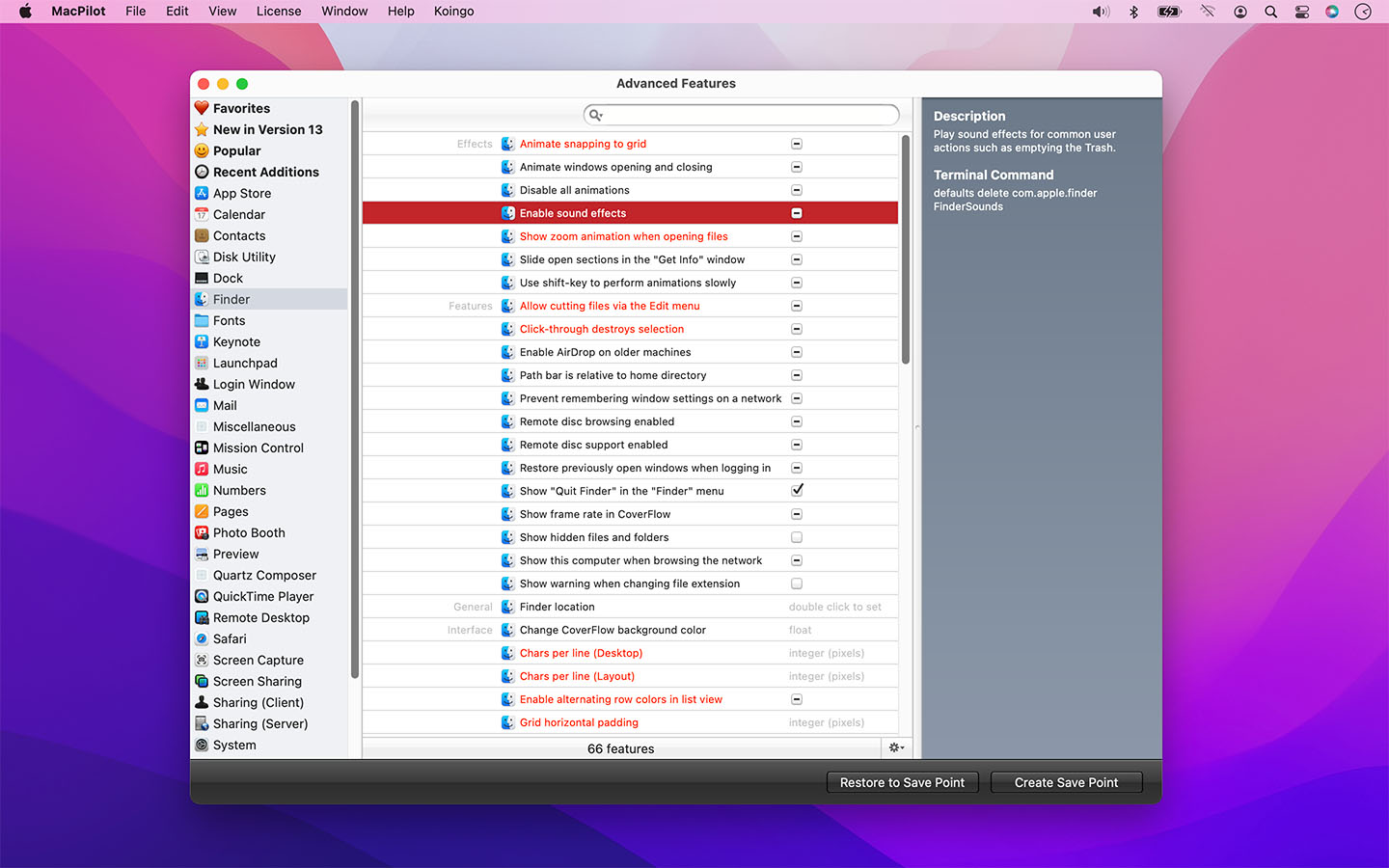
We have gone to great lengths to incorporate a large volume of in-program assistance within MacPilot. Don't know what something does? Just hover over it with the mouse!
Do you manage a lab and want the same configuration across multiple computers? Create "save points" and deploy them on any number of computers.
Configured something by mistake and want it back to factory settings? Simply right-click the feature and choose "Set to Default" or click the main "Reset All" button on each tab.
The Wow Factor
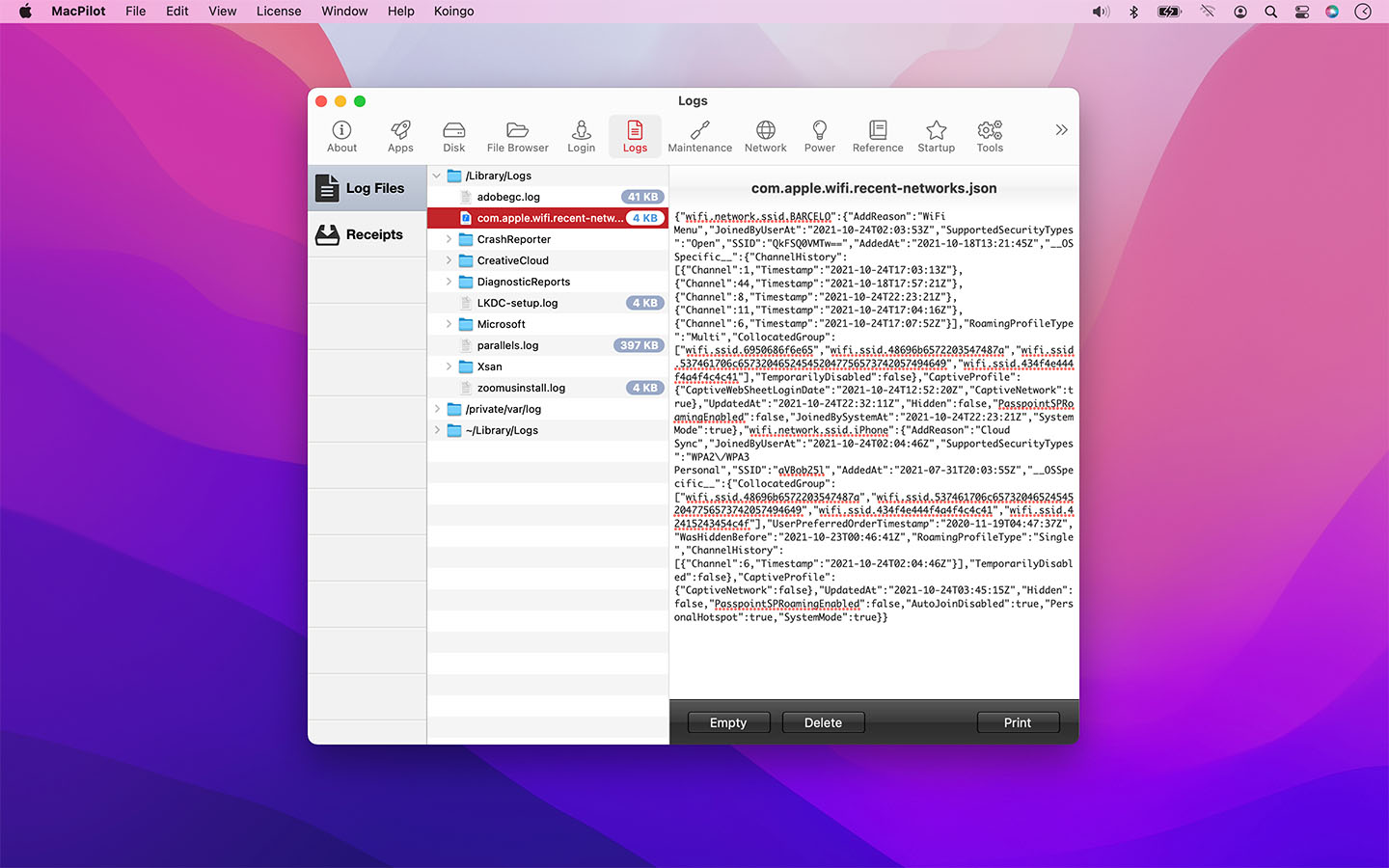
Get out of the passenger seat and take control of your Mac. Set your login window picture, use the screensaver as your Desktop, modify advanced file permissions (ACL), change the system welcome message, enable simultaneous recordings in QuickTime, view system logs, or enable the Debug menu in numerous apps.
Or perhaps you're feeling the need for a simpler lifestyle? Disable the Notification Centre, virtual memory, Dashboard and iCloud saving. Ditch time-wasting graphical animations, prevent system sleep, suspend Safari's web caching, disable App Nap, remove the downloaded files warning message, and more!
Other Highlights
System Profile
A beautiful system profile that outlines advanced system information. Everything from the graphics card and RAM bus speeds to the system serial number and processor info.
Reference
View a complete list of network ports, error codes, and key combos. Browse fonts, and preview Unix command manuals in a redesigned, substantially prettier manuals viewer with modern searching.
Disk Details
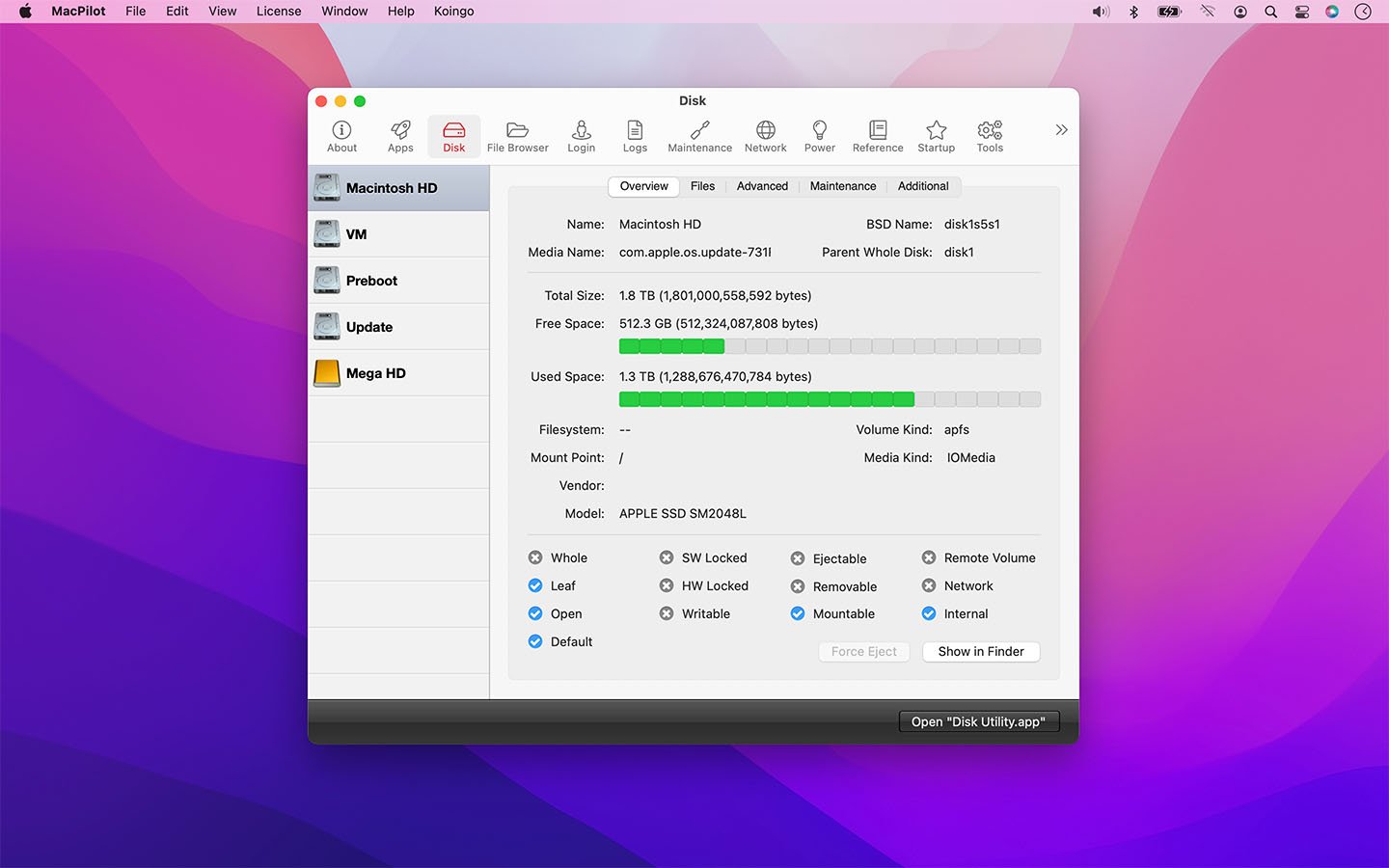
View advanced disk information and statistics such as Unix node path, free blocks, device block size, file count, folder count, mount point, file system type, solid state status, and a plethora of other BSD-level informational trinkets.
Maintenance
Optimize and repair your system with powerful maintenance tools. Rebuild Launch Services, rotate system logs, clear caches including QuickLook, force empty the Trash, reset common system databases, and more.
Single-Click Access
Easily access assistants and tools that are normally buried deep in the system, including an enhanced Menu Extras manager for organizing and controlling menu bar items.
File Browser
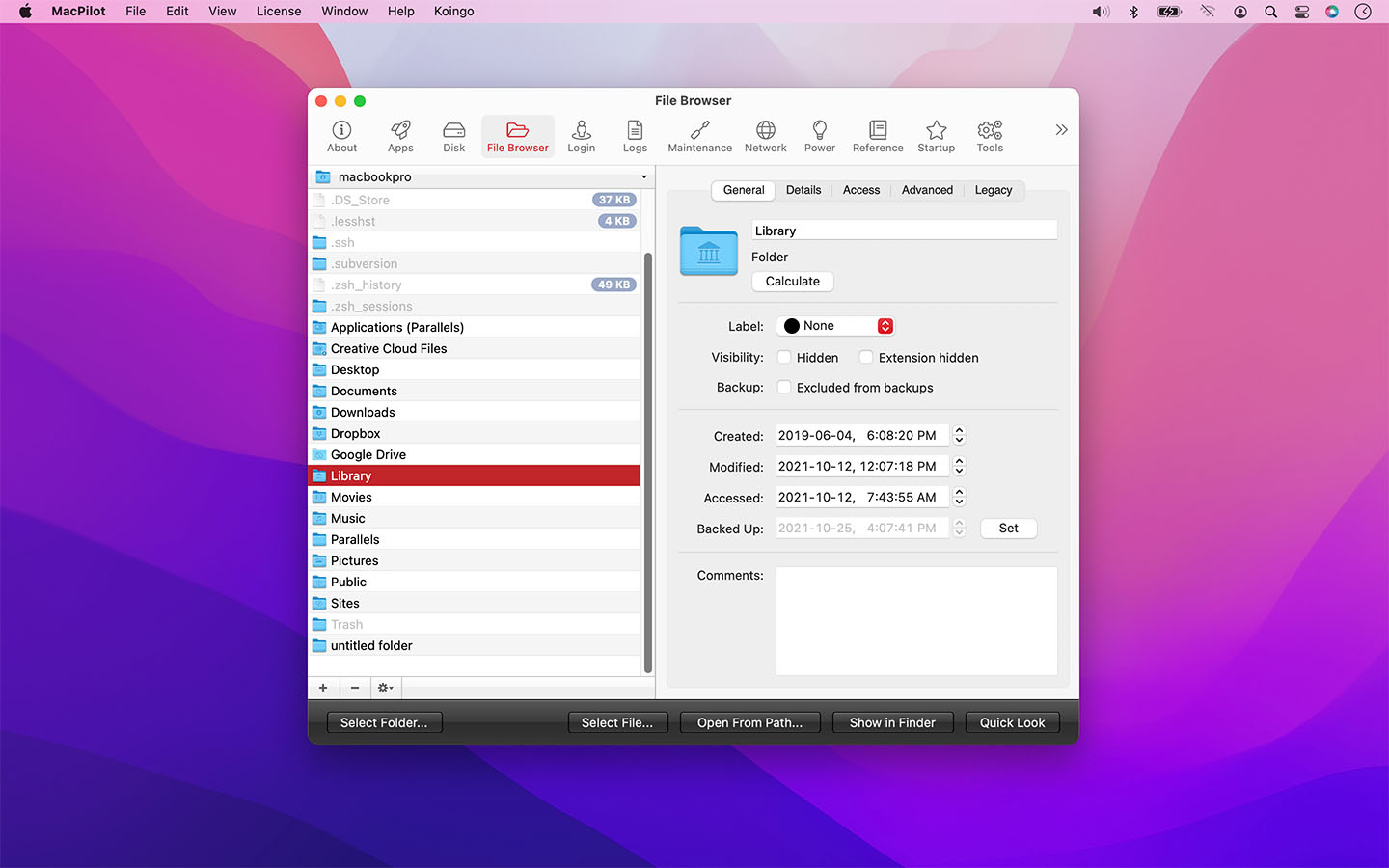
Browse the computer while showing all invisible and system files. Includes new power-user navigation shortcuts, copy-path to clipboard, and complete control over advanced settings like extended attributes, POSIX and ACL permissions, and hard locks.
Network Utility
A modern replacement for Apple’s retired Network Utility. Ping, traceroute, port scan, whois, active connections, and a powerful DNS Lookup tool with modern record types and built-in SPF, DMARC, and DKIM modes.
I/O Benchmark
Benchmark storage performance quickly and clearly. Great for validating new drives, troubleshooting slowdowns, and comparing external enclosures or cables.
Sysctl Config Editor
Edit sysctl configuration with a purpose-built editor for advanced tuning. A clean workflow for reviewing, updating, and maintaining system parameter overrides.
Advanced
Explore hundreds of additional (and often undocumented) tweaks, including legacy and power-user options across many macOS generations.
Automation
Save a system configuration for easy deployment across numerous systems or after a system restore.
Disk Info
View incredibly detailed information about connected disks, from free blocks and device tree path to journal offsets, RAID status, and deeper BSD-level details.
Disk Utility
Reveal additional Disk Utility capabilities and hidden options, including visibility of internal volumes and advanced disk operation controls designed for power users.
Dock
Add spacers and smart stacks/menus, show only open apps, lock settings, toggle the open app indicator light, fade icons for hidden apps, and change many other interface effects and features.
Easy Access
One-click access to internal system tools like the Bluetooth, Certificate, RAID, or Directory assistant, plus an enhanced Menu Extras manager and improved system viewers.
File Browser
Quickly browse and edit advanced details for files and folders with a refreshed, more native UI. Includes Command-arrow navigation, copy-path to clipboard, and complete control over permissions including Access Control Lists.
File Tools
Force erase files, lock files, visify/invisify, merge folders, clear ACL data, create symbolic links, and wipe Quarantine data.
Finder
Toggle animations, show hidden files, show compression options when holding Option, hide iOS devices in the Finder sidebar, show the QuickLook toolbar in Columns view, disable auto-resizing of Columns view, and more.
Fully Loaded
Unlock over 1,200 features to tweak, tune, and explore macOS with a familiar, easy interface.
Info
View ports, error codes, fonts, key combos, system configuration details, and Unix command manuals in a substantially prettier manuals viewer.
Login Window
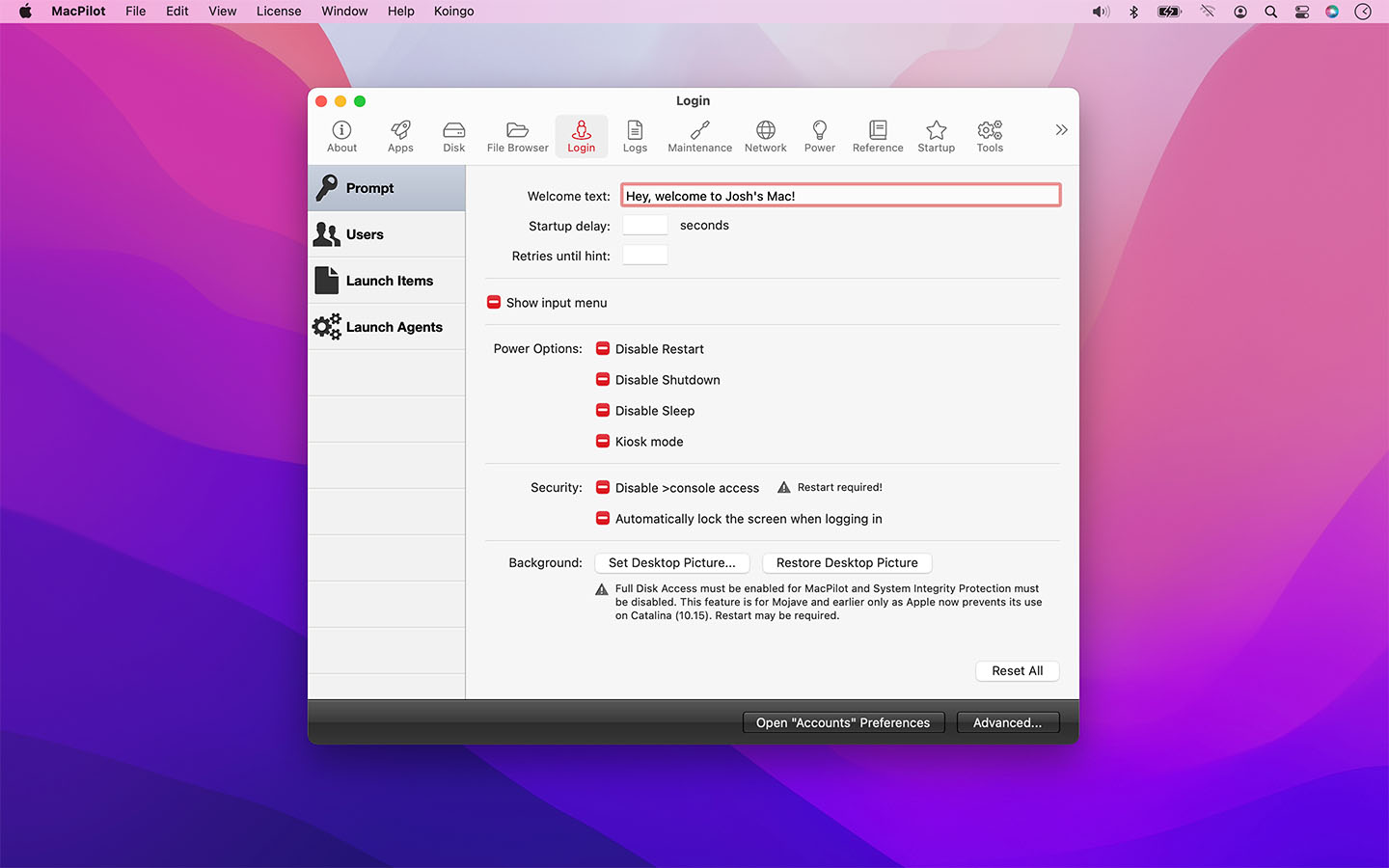
Set the welcome text, enable a startup delay, change the number of retries before hint, disable the power buttons, enable Kiosk mode, disable console access, auto-lock the screen when logging in, show system users, require manual username entry, edit login items and launch agents.
Maintenance
Run essential maintenance tools including rebuilding Launch Services, clearing caches such as QuickLook, rotating system logs, clearing the print queue, and more.
Music.app
Enable half-star ratings, disable elastic scrolling, play songs while importing, disable device access, enable a high contrast interface, prevent update checking when devices are connected and more.
Network
Discover advanced network device and configuration details beyond an IP address: DNS, IPv4, IPv6, proxies, Samba, and File Sharing. Includes an advanced DNS Lookup tool with modern record types and guided SPF, DMARC, and DKIM modes.
Network Utility
A modern replacement for Apple’s retired Network Utility: ping, traceroute, port scan, whois, active connections, and advanced DNS lookups.
Power
Complete control over wake, sleep, and power saving. Includes Low Power Mode controls plus advanced waking options like TCP Keep Alive and Proximity Dark Wake.
Safari
Disable spell checking, set Find on Page to use 'starts with' instead of 'contains', disable site icons, disable caching, show the Develop or Debug menu, change the User Agent string, make the Delete key go back to the previous page, and more!
Slim Apps
A completely overhauled architecture slimmer for Universal apps. Extract only the PowerPC, Intel, or Apple Silicon slice when needed.
Startup
Force safe startup mode or 32/64-bit, enable kernel debugging, limit system RAM, mute the startup chime, disable kernel caches, and toggle a variety of other advanced Unix options.
Tools
Run an I/O Benchmark and edit sysctl configuration with a purpose-built editor for advanced tuning and diagnostics.
For the full or demo version of our app, please use the download links below. After installation, the demo will automatically begin. For existing owners, unlock the app via the "Unlock..." menu item.
Current Version
All current versions of Koingo apps are compatible with the latest version of macOS or Windows (when applicable), Apple Silicon, support 64-bit architecture, and are optimized for Retina (HiDPI) Display. These retail versions of our apps are intentionally not sandboxed to provide the most flexible user experience. For sandboxed versions, see our App Store editions.
Older Versions
These versions are no longer supported and are listed primarily for customers with older licenses.
Mac Edition
- Minimum OS: macOS 13 (Ventura)
- Maximum OS: macOS 15 (Sequoia)
Mac Edition
- Minimum OS: macOS 10.15 (Catalina)
- Maximum OS: macOS 14 (Sonoma)
Mac Edition
- Minimum OS: macOS 11 (Big Sur)
- Maximum OS: macOS 13 (Ventura)
Mac Edition
- Minimum OS: macOS 11 (Big Sur)
- Maximum OS: macOS 12 (Monterey)
Mac Edition
- Minimum OS: macOS 11 (Big Sur)
- Maximum OS: macOS 11 (Big Sur)
Mac Edition
- Minimum OS: macOS 10.15 (Catalina)
- Maximum OS: macOS 10.15 (Catalina)
Mac Edition
- Minimum OS: macOS 10.13 (High Sierra)
- Maximum OS: macOS 10.15 (Catalina)
Mac Edition
- Minimum OS: macOS 10.12 (Sierra)
- Maximum OS: macOS 10.14 (Mojave)
Mac Edition
- Minimum OS: macOS 10.12 (Sierra)
- Maximum OS: macOS 10.13 (High Sierra)
Mac Edition
- Minimum OS: Mac OS X 10.10 (Yosemite)
- Maximum OS: macOS 10.12 (Sierra)
Mac Edition
- Minimum OS: Mac OS X 10.7 (Lion)
- Maximum OS: macOS 10.12 (Sierra)
Mac Edition
- Minimum OS: Mac OS X 10.7 Intel (Lion)
- Maximum OS: Mac OS X 10.11 (El Capitan)
Mac Edition
- Minimum OS: Mac OS X 10.6 Intel (Snow Leopard)
- Maximum OS: Mac OS X 10.9 (Mavericks)
Mac Edition
- Minimum OS: Mac OS X 10.4 Intel (Tiger)
- Maximum OS: Mac OS X 10.9 Mavericks
Mac Edition
- Minimum OS: Mac OS X 10.4 Intel (Tiger)
- Maximum OS: Mac OS X 10.9 (Mavericks)
Mac Edition
- Minimum OS: Mac OS X 10.4 PowerPC/Intel (Tiger)
- Maximum OS: Mac OS X 10.8 (Mountain Lion)
Mac Edition
- Minimum OS: Mac OS X 10.4 PowerPC/Intel (Tiger)
- Maximum OS: Mac OS X 10.7 (Lion)
Mac Edition
- Minimum OS: Mac OS X 10.4 PowerPC/Intel (Tiger)
- Maximum OS: Mac OS X 10.7 (Lion)
Mac Edition
- Minimum OS: Mac OS X 10.4 PowerPC/Intel (Tiger)
- Maximum OS: Mac OS X 10.6 (Snow Leopard)
Mac Edition
- Minimum OS: Mac OS X 10.4 PowerPC/Intel (Tiger)
- Maximum OS: Mac OS X 10.6 (Snow Leopard)
Mac Edition
- Minimum OS: Mac OS X 10.4 PowerPC/Intel (Tiger)
- Maximum OS: Mac OS X 10.5 (Leopard)
Mac Edition
- Minimum OS: Mac OS X 10.4 PowerPC/Intel (Tiger)
- Maximum OS: Mac OS X 10.5 (Leopard)
Mac Edition
- Minimum OS: Mac OS X 10.2 PowerPC (Jaguar)
- Maximum OS: Mac OS X (10.4 Tiger)
I have been using MacPilot since 4 December 2007 … back with MacPilot 3. I continually use it as "the" utility to help access, and correct problems and quirks in MacOS, as they occur. In a clear, concise, easy to use manner, I am able to address problems and issues. I continually maintain my subscription for one reason … MacPilot works!!

William F. GIbson
.
Davide Calzolari
thanks so much :)
Mohamed Mostafa
Great app! Love it, and it is my goto app for many things!
Jonathan Goldsmith
I really like this program! I have used it for years. It has helped me figure out and resolve all kinds of issues and problems. It helps me keep my Mac running smoothly. I Highly Recommend this program.
Robert Barton
Excellent product, saves a lot of time, packed with features! Good job, please keep it on!
Bojan Petka Cvetkovic
MacPilot is the best of its kind that I've used. It gets updated the most frequently, the developer is the most responsive to support and ideas, and it's functionality is just the smoothest I've seen yet. This is a must-have for all you die-hard Mac fans out there, and even those who aren't die-hards. This is just an essential app for everybody. Go for it.
Evan Rossi
Even though it may look daunting, it is well worth trying. Fantastic customization that all users should have a go with.
Mathew J Walters
Old user since 90's
François Mémier
Useful software. Does what I need it to do. Particularly useful in clearing the "You downloaded this from the Internet" alerts.
Kenneth Metcalfe
All of our products come with a full set of licensing options: from single users and households to small businesses and larger corporations.
Personal Licenses
Student/Senior
-
1 computer2 unique devices per year
Solo
-
1 computer/user5 unique devices per year
Household
-
1 household10 unique devices per year
Business Licenses
School
-
1 school300 unique devices per year
Small Business
-
10 computers/users60 unique devices per year
Corporate
-
Unlimited10000 unique devices per year
Our manual is always expanding! While we strongly believe our products as so intuitive you shouldn't need a manual, there are exceptions now and then. If you feel there is something missing from the documentation, please contact us.
For a single-page listing of all help entries, click here.
| Version 17.5 – January 6, 2026 | |
|
Requirements This version requires at least macOS 13 (Ventura from Fall 2022); however, it is designed specifically for macOS 26 (Tahoe from Fall 2025). We have all older versions available for download on our web site. Please use the one designed for your version of macOS. A current, valid, license for any Koingo app will unlock all previous versions. |
|
| Upgrade Notes This upgrade is free for users owning the current major version, an active subscription, Utility Package Pro, or a "lifetime license." No action is required other than downloading the new version from our web site and unlocking as normal with an e-mail address. For all other users, orders for the current version can be purchased on our web site. |
|
| New Feature: | Under Apps, clicking the Features Database button will take you to the relevant panel. |
| New Feature: | Disk Utility: ShowOSInternal. |
| New Feature: | Disk Utility: ShouldAllowModifyCoreStorage. |
| New Feature: | Disk Utility: ShouldNotPerformDestroyVolumeOperations. |
| New Feature: | Disk Utility: ShouldEnableDestroyStartupVolumeCommands. |
| New Feature: | Calendar: Show multi day timed events as all day events. |
| New Feature: | Manuals viewer is substantially prettier. |
| New Feature: | Command-Key Up-Arrow in File Browser now goes to the parent directory. Command Key Down Arrow opens the folder. |
| New Feature: | Copy path to clipboard option in the contextual menu of File Browser. |
| New Feature: | Binaries architecture slimmer completely overhauled. |
| Enhancement: | Improved File Browser UI to use native controls. |
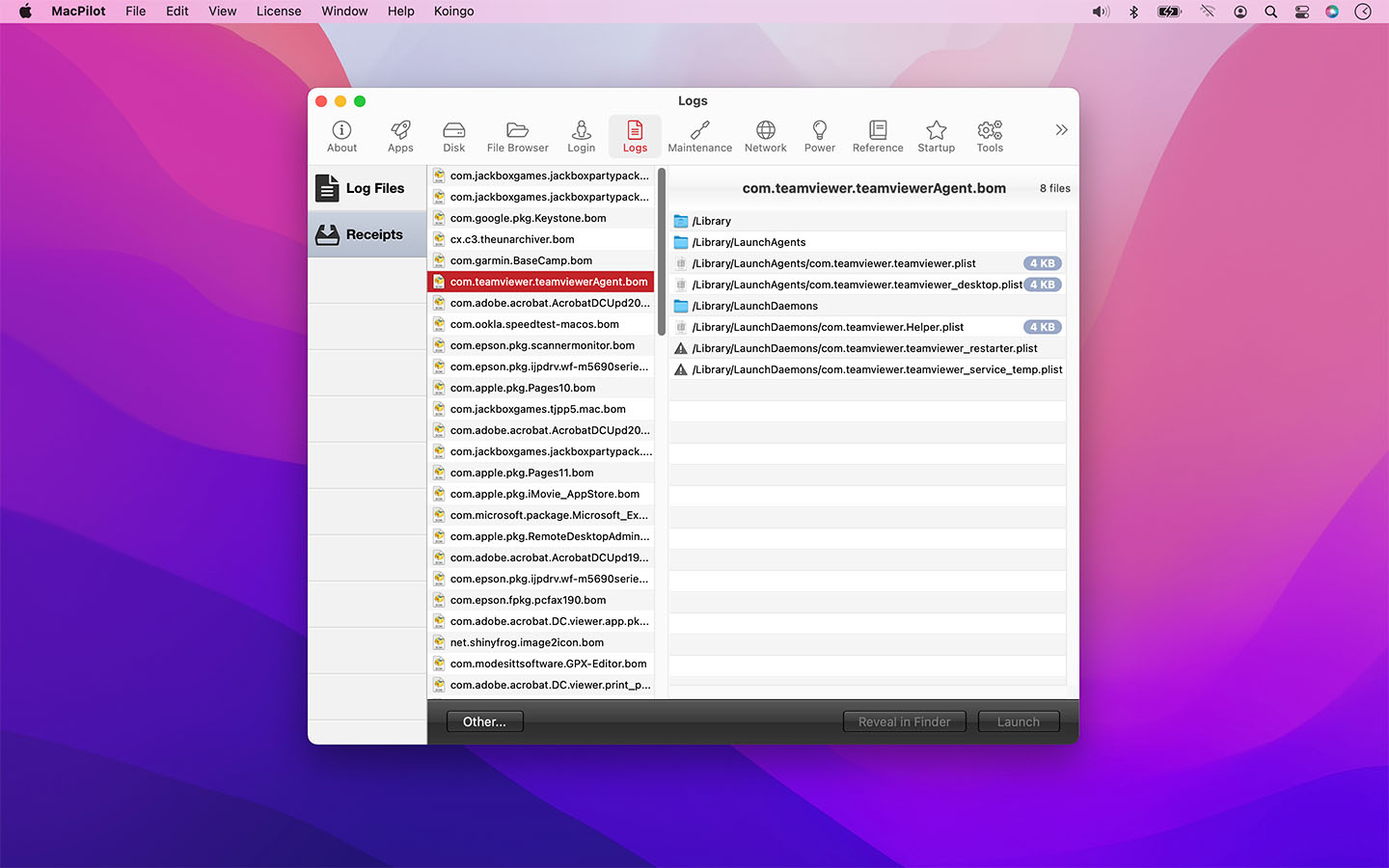
| Enhancement: | Improved Receipts Viewer UI. |
| Enhancement: | Added warning in Dock-show only open apps feature. |
| Enhancement: | Many small interface tweaks and fixes. |
| Bug Fix: | Manuals search works again (we've made our own searcher). |
| Bug Fix: | Dropping a file into File Browser on the top tab now loads the folder its in as well. |
| Bug Fix: | Typo in Copyright option of Spotlight search. |
| Bug Fix: | Internal shell commands code window now horizontally scrolls, has a black background, and uses a fixed width font again. |
| Bug Fix: | Preferences validator now reports how many files it actually checked instead of 0. |
| Bug Fix: | Decimals shown in File Browser again for file sizes when on Best Fit mode. |
| Bug Fix: | Fixed crash that would occur if the currently viewed folder was no longer with read permissions in the File Browser and we tried to read its contents. |
| Bug Fix: | Launch Agents without a custom program label now just show their file name instead. |
