
-
 MacCleanse 15Version 15.0Most of us know the pain of using a shared computer. Privacy is a valued commodity in today's world, and maintaining it does not have to be a hassle. MacCleanse securely scans your system for activity and erases the desired information.View Downloads Buy Now
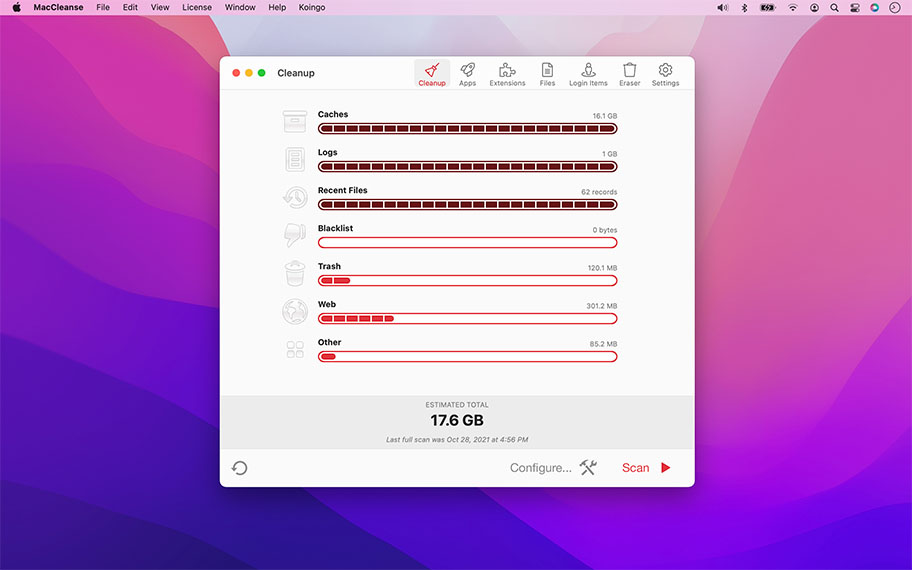

Unparalleled Power
MacCleanse is the product of thousands of hours of intense research and development. It meticulously scans all of the nooks and crannies of a computer for unnecessary junk that can take up huge amounts of disk space!
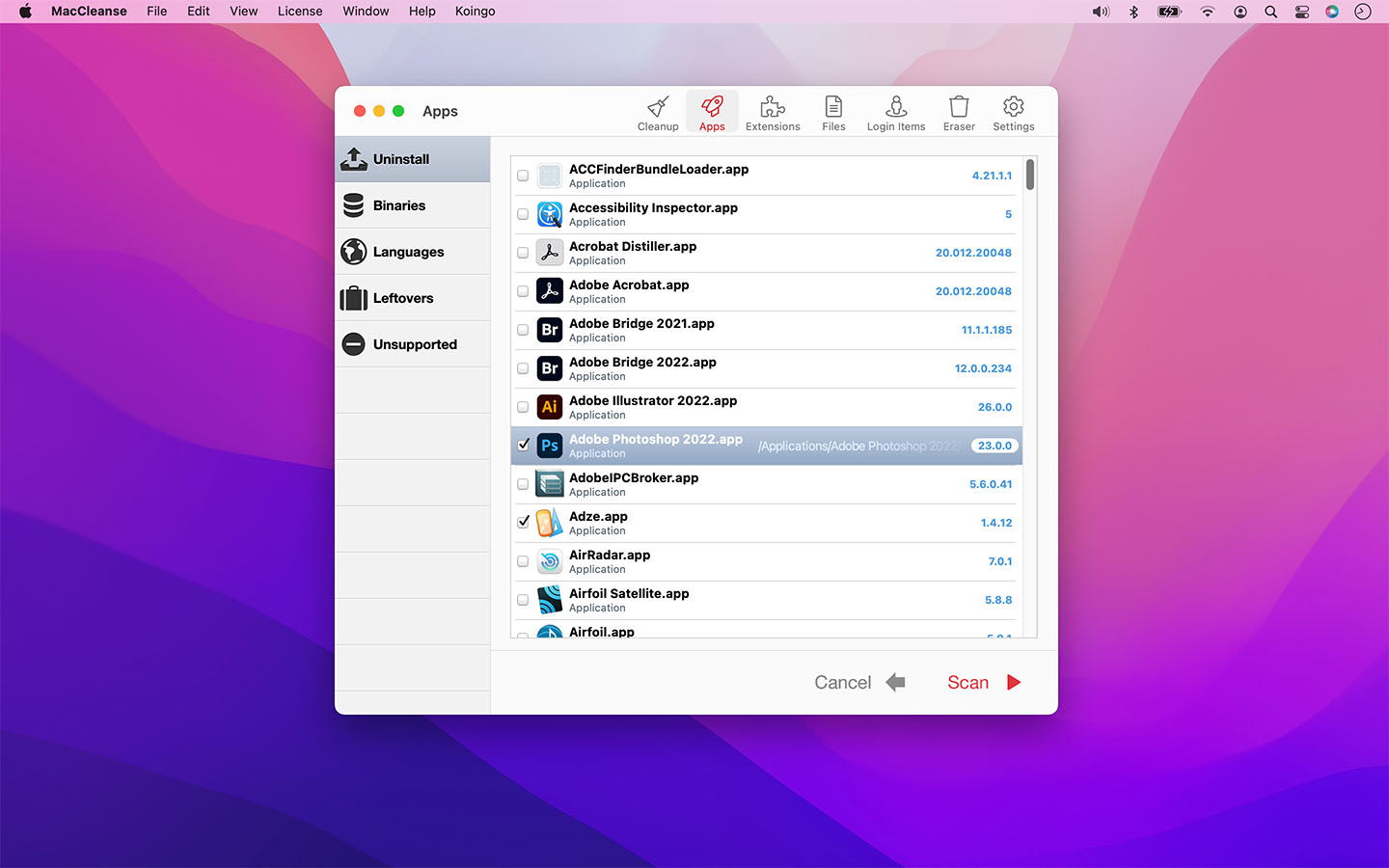
Because of this, Apps in MacCleanse are also uninstalled correctly, catching the numerous logs, caches, plugins, and other resources left behind versus simply dragging them to the Trash.
Your privacy is protected and computer performance enhanced by MacCleanse as it wipes your web and app histories, and can toggle resource-hungry extensions!
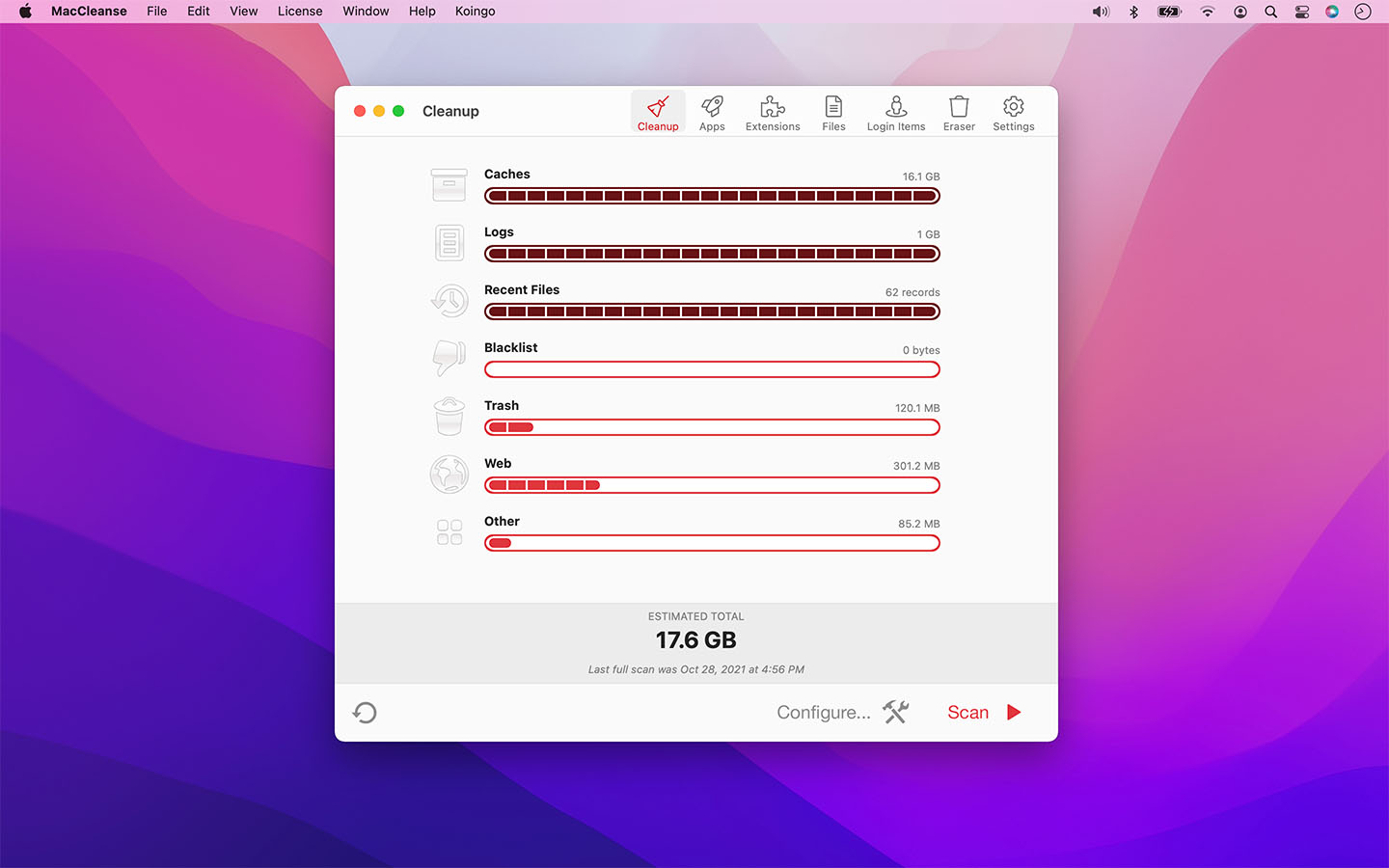

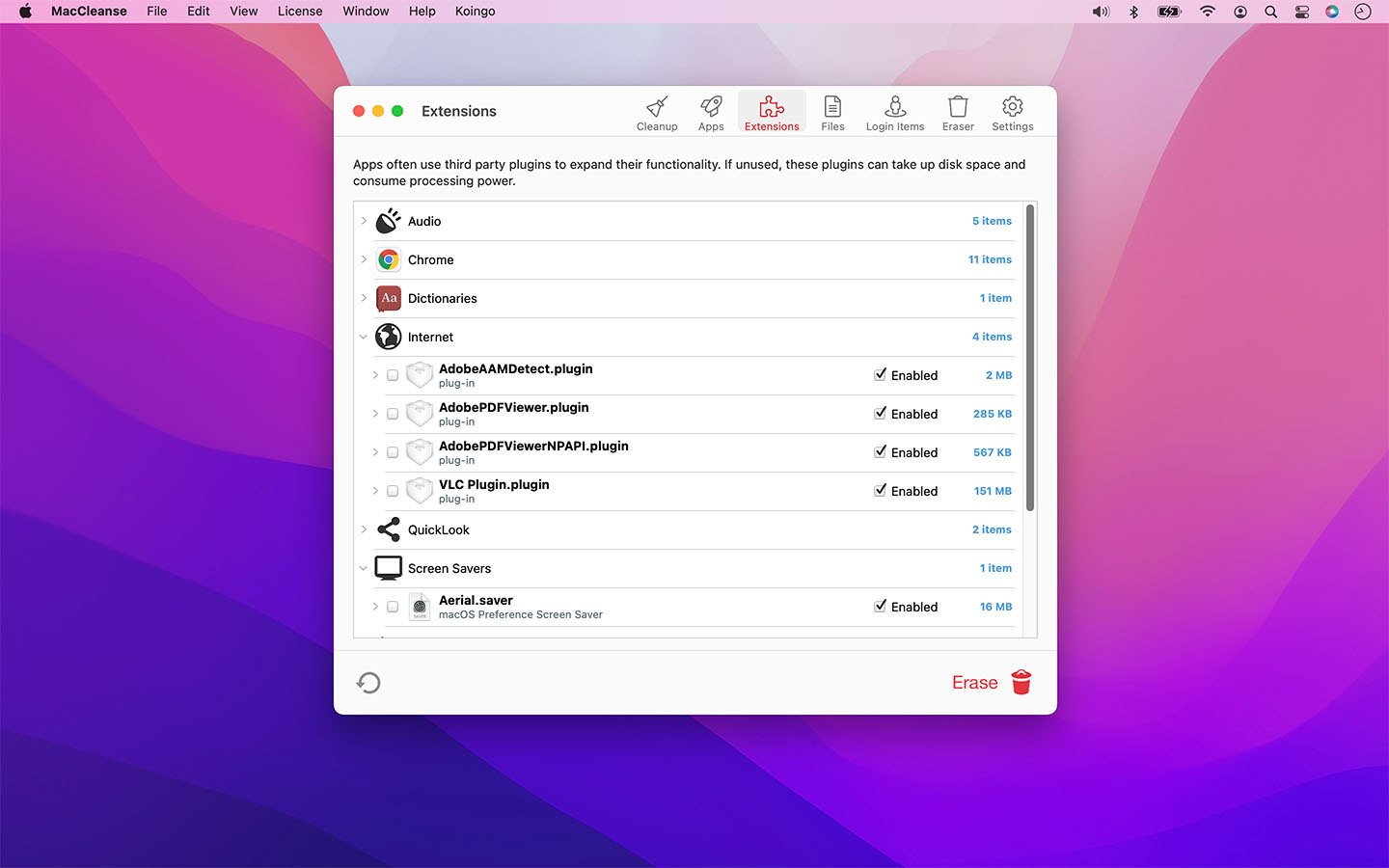
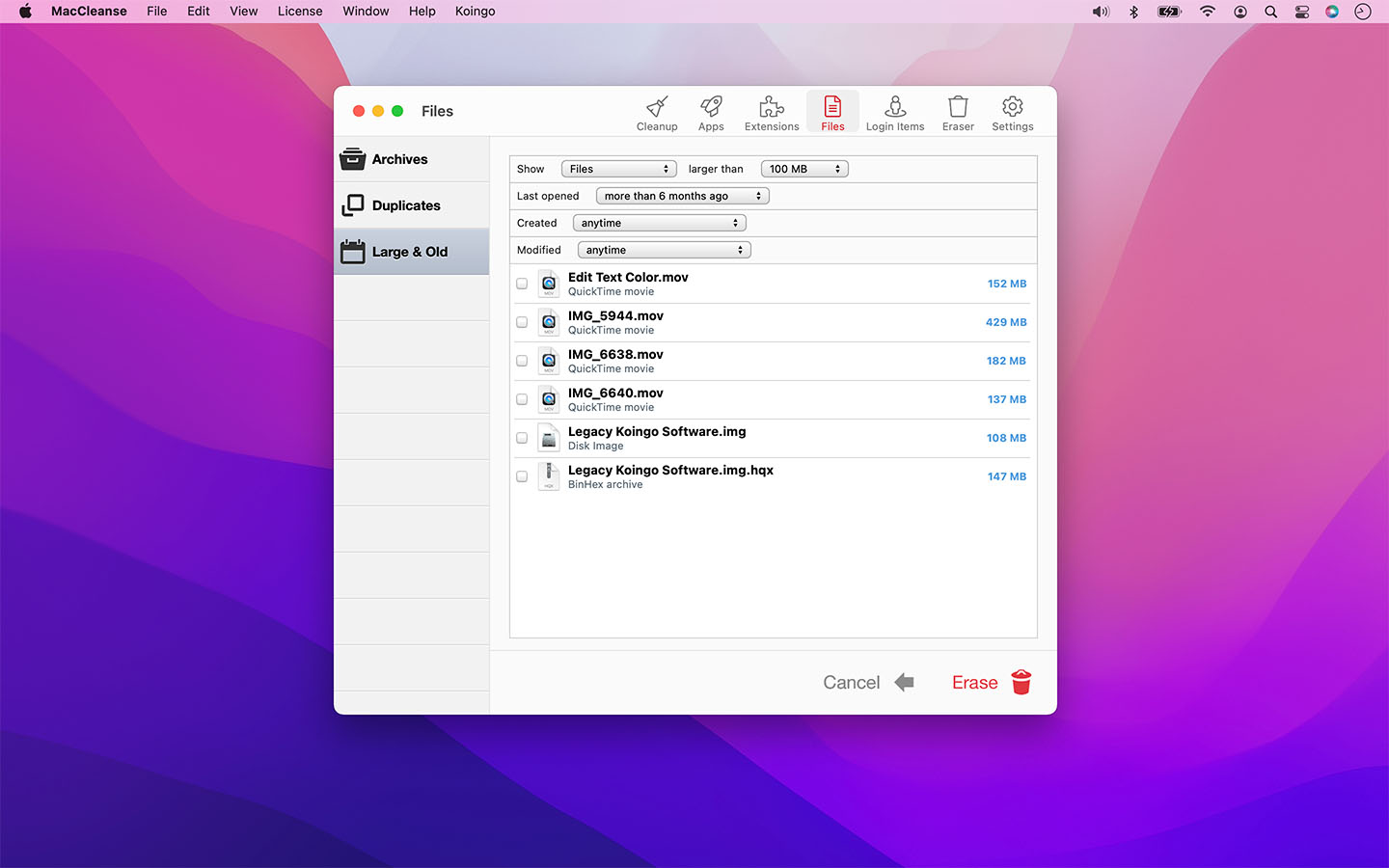
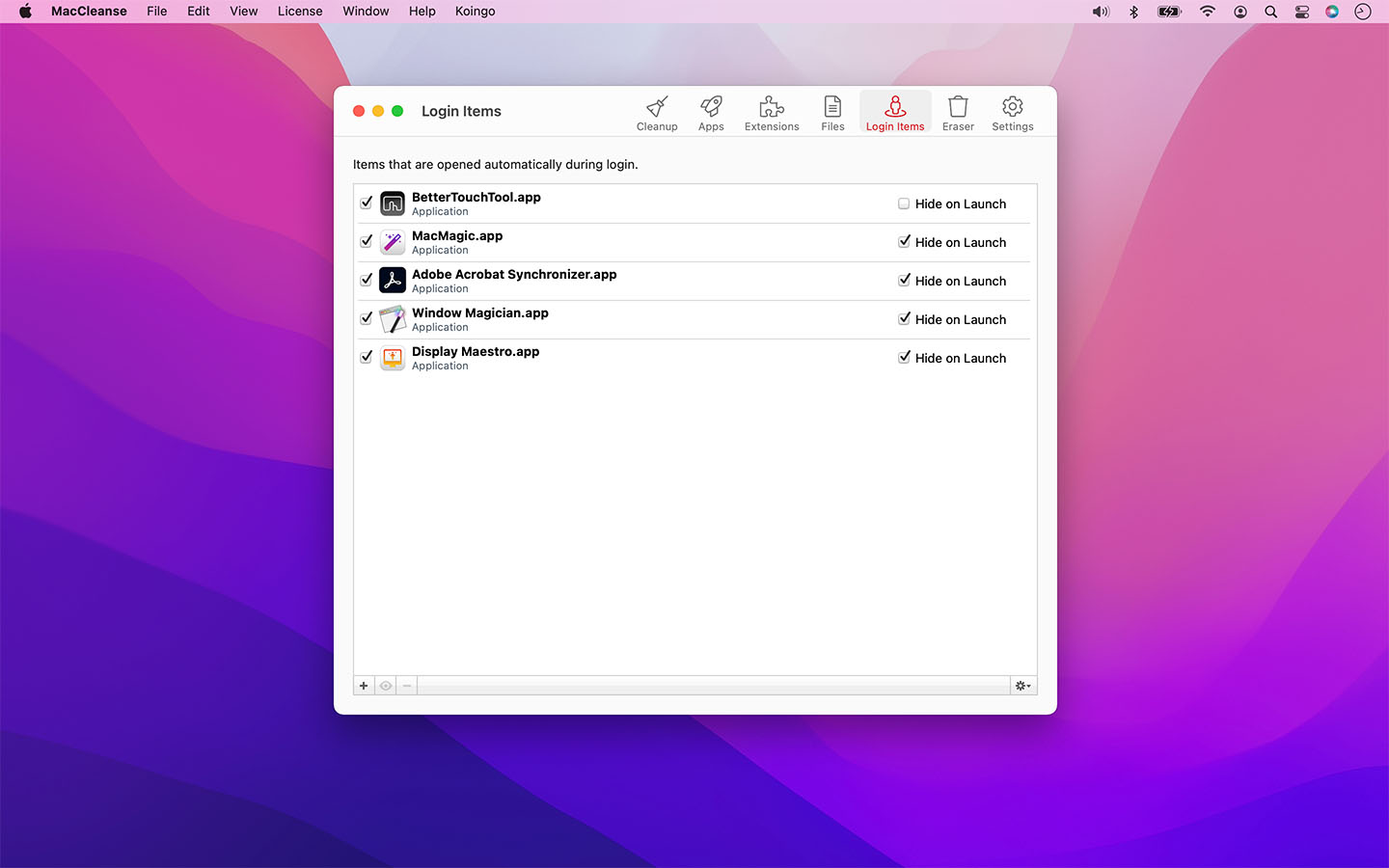
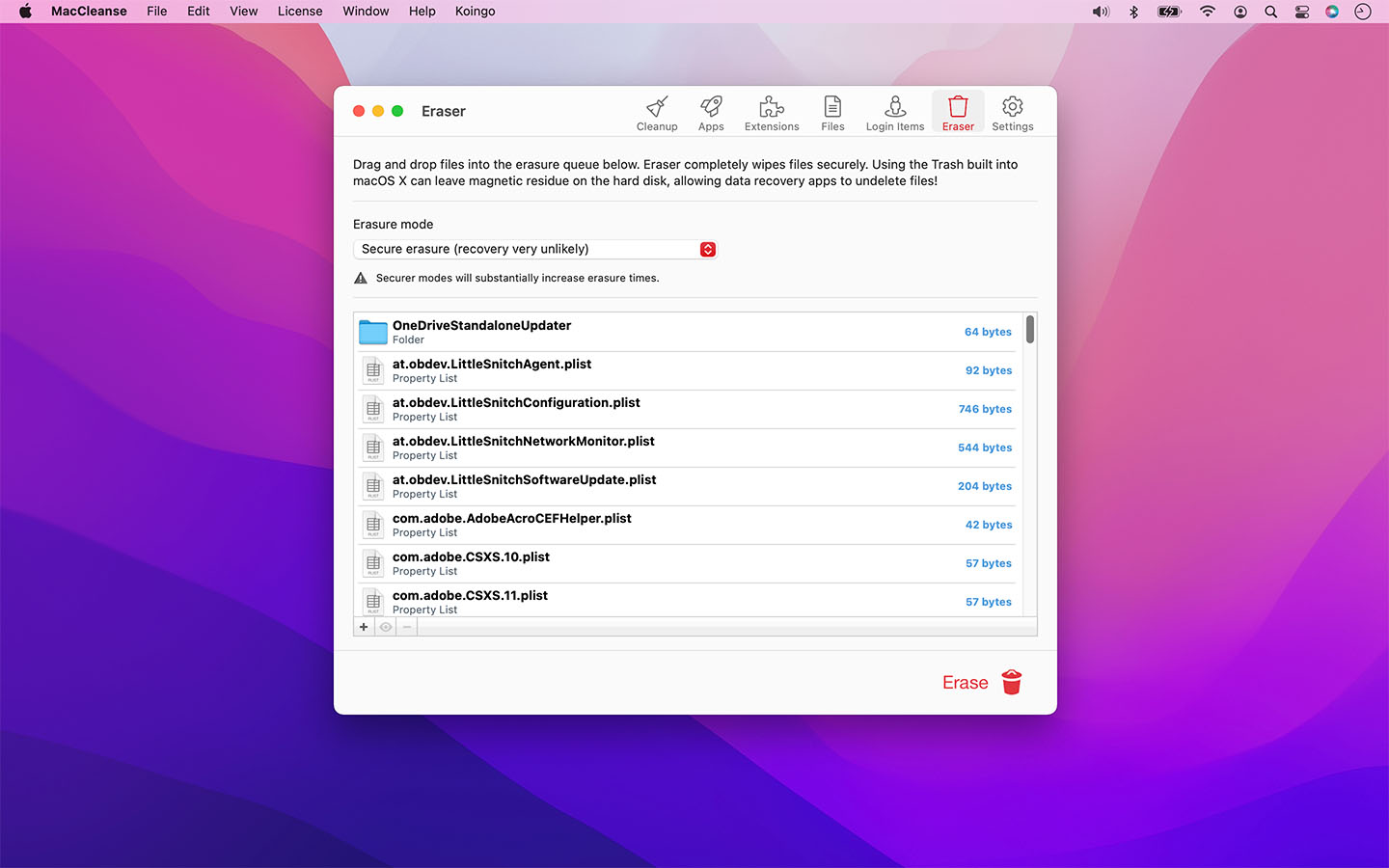
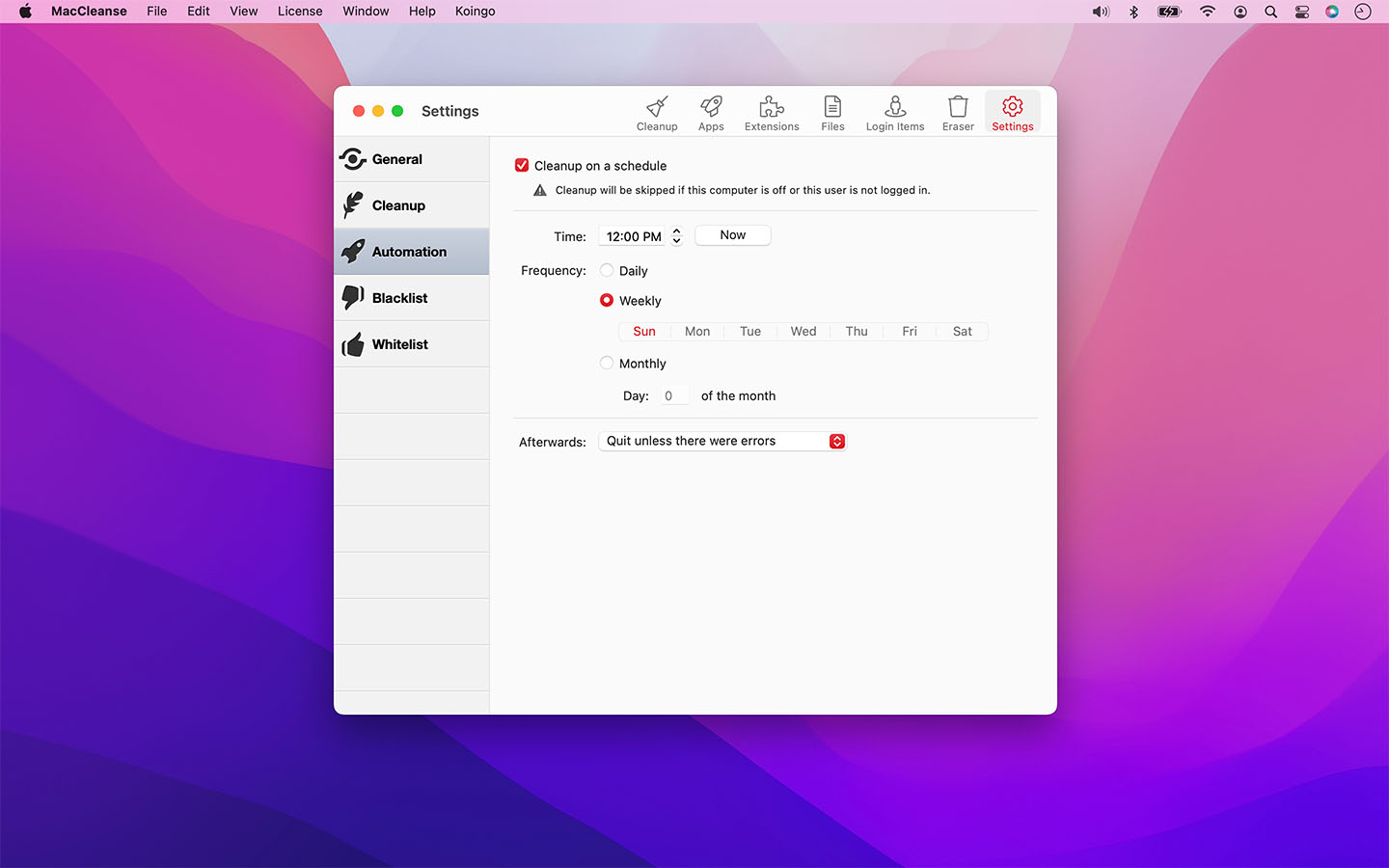
MacCleanse can be configured to run daily, weekly, or monthly on a recurring schedule to ensure scans are performed regularly! No schedule set? It'll still remind you once in a while!
MacCleanse will prompt you to complete uninstall an app if you're incorrectly dragging it to the Trash.
Specify files and folders that should never get touched during a cleanup, or files that should always be erased.
Safe & Secure
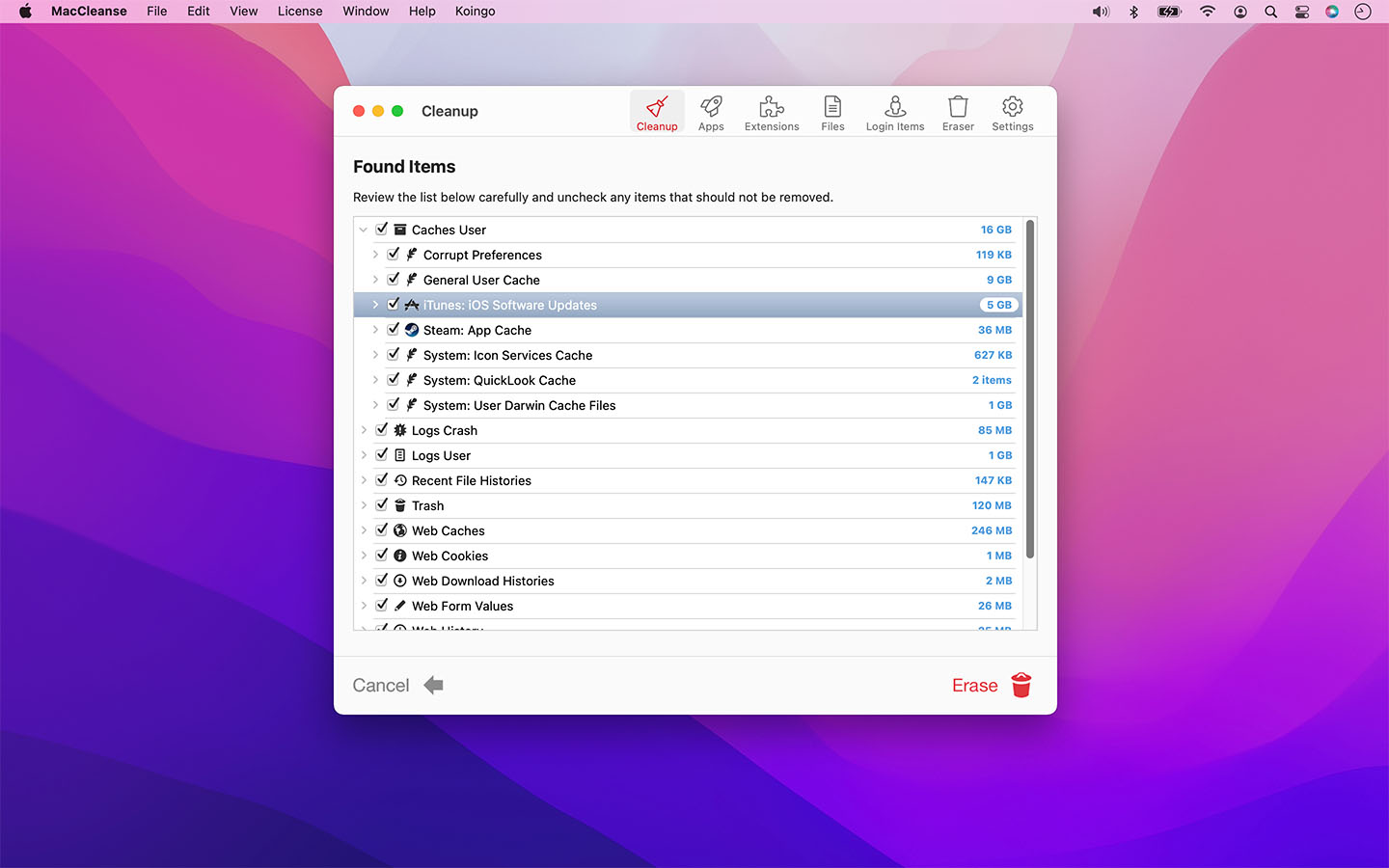
Enhanced with the security of some of the most complex algorithms in the industry, MacCleanse ensures the data you want to keep is protected from erasure, while everything else is wiped! Detailed scan results also allow you to completely review what is to be removed prior to erasure.
Choose from a variety of erasure types from quick and simple to military grade. Ensure files are never undeleted even with the most powerful recovery tools!
Other Highlights
Web & App Histories
Erase app & web histories, cookies, caches, logs, and auto-fill values to both save disk space and protect your privacy.
Extension Manager
Enable or disable screen savers, web browser plugins, preference panes, login items, and system plugins on the fly; only loading them when you need them to save system resources.
Ditch Duplicates
Using the most sophisticated and safe algorithm in the industry, MacCleanse can identify and flag duplicate copies of files.
Login Items
Identify and disable unwanted login items that could be slowing down system startup times or hogging background CPU usage.
Slim Apps
Cut the fat out of installed apps by removing unused language packs and trimming off legacy PowerPC binary data.
Orphans
Find junk left behind by apps that were incorrectly uninstalled in the past.
Archives
Locate files used to package downloads that are no longer required after installing apps.
Automation
Schedule automatic system cleanup.
Custom Configurations
Create multiple custom cleanup configurations to remove only specific items.
Detailed Overview
Provides a complete breakdown of scans to clearly identify what is planned for erasure.
Detect Leftovers
Scan for items left behind by incorrectly uninstalled apps.
Ditch Duplicates
Exhaustively locate duplicate files and erase copies that are taking up space.
Eraser
Shred files with more security than the Trash; choose between fast or secure removal.
Find Old Apps
Lists installed apps that aren't compatible with your computer.
Language Cleaner
Remove alternative languages packs from apps you'll never use!
Large & Old
Find old files that are taking up large amounts of space.
Manage Plugins
Save resources by disabling plugins, screen savers, login items, and more.
Safe Cleanup
Automatically determines which files to remove to save space.
Trim Apps
Expunge legacy components of apps designed for backwards compatibility with older systems.
Uninstall Apps
Remove apps and all their associated logs, caches, preferences and more.
For the full or demo version of our app, please use the download links below. After installation, the demo will automatically begin. For existing owners, unlock the app via the "Unlock..." menu item.
Current Version
All current versions of Koingo apps are compatible with the latest version of macOS or Windows (when applicable), Apple Silicon, support 64-bit architecture, and are optimized for Retina (HiDPI) Display. These retail versions of our apps are intentionally not sandboxed to provide the most flexible user experience. For sandboxed versions, see our App Store editions.

Older Versions
These versions are no longer supported and are listed primarily for customers with older licenses.
Mac Edition
- Minimum OS: macOS 11 (Ventura)
- Maximum OS: macOS 26 (Tahoe)
Mac Edition
- Minimum OS: macOS 10.15 (Catalina)
- Maximum OS: macOS 15 (Sequoia)
Mac Edition
- Minimum OS: macOS 10.15 (Catalina)
- Maximum OS: macOS 15 (Sequoia)
Mac Edition
- Minimum OS: 10.14
Mac Edition
- Minimum OS: 10.14
Mac Edition
- Minimum OS: macOS 10.13 to 10.15
Mac Edition
- Minimum OS: macOS 10.13 to 10.15
Mac Edition
- Minimum OS: macOS 10.13 to 10.15
Mac Edition
- Minimum OS: macOS 10.13 to 10.15
Mac Edition
- Minimum OS: macOS 10.13 to 10.15
Mac Edition
- Minimum OS: macOS 10.13 to 10.15
Mac Edition
- Minimum OS: Mac OS 10.6 (Intel)
Mac Edition
- Minimum OS: Mac OS 10.6 (Intel)
Mac Edition
- Minimum OS: Mac OS 10.6 (Intel)
Mac Edition
- Minimum OS: Mac OS 10.6 (Intel)
Mac Edition
- Minimum OS: Mac OS 10.6 (Intel)
Mac Edition
- Minimum OS: Mac OS 10.6 (Intel)
Mac Edition
- Minimum OS: Mac OS 10.6 (Intel)
Mac Edition
- Minimum OS: Mac OS 10.6 (Intel)
Mac Edition
- Minimum OS: Mac OS 10.6 (Intel)
Mac Edition
- Minimum OS: Mac OS 10.6 (Intel)
Mac Edition
- Minimum OS: Mac OS 10.6 (Intel)
Mac Edition
- Minimum OS: Mac OS 10.6 (Intel)
Mac Edition
- Minimum OS: Mac OS 10.6 (Intel)
Mac Edition
- Minimum OS: Mac OS 10.6 (Intel)
Mac Edition
- Minimum OS: Mac OS 10.6 (Intel)
Mac Edition
- Minimum OS: Mac OS 10.6 (Intel)
Mac Edition
- Minimum OS: Mac OS 10.6 (Intel)
Mac Edition
- Minimum OS: Mac OS 10.6 (Intel)
Mac Edition
- Minimum OS: Mac OS 10.6 (Intel)
Mac Edition
- Minimum OS: Mac OS 10.6 (Intel)
Mac Edition
- Minimum OS: Mac OS 10.4 (PPC/Intel)
Mac Edition
- Minimum OS: Mac OS 10.4 (PPC/Intel)
Mac Edition
- Minimum OS: Mac OS 10.4 (PPC/Intel)
Mac Edition
- Minimum OS: Mac OS 10.4 (PPC/Intel)
Mac Edition
- Minimum OS: Mac OS 10.4 (PPC/Intel)
Mac Edition
- Minimum OS: Mac OS 10.4 (PPC/Intel)
Mac Edition
- Minimum OS: Mac OS 10.4 (PPC/Intel)
Mac Edition
- Minimum OS: Mac OS 10.4 (PPC/Intel)
Mac Edition
- Minimum OS: Mac OS 10.4 (PPC/Intel)
Mac Edition
- Minimum OS: Mac OS 10.4 (PPC/Intel)
Mac Edition
- Minimum OS: Mac OS 10.4 (PPC/Intel)
Mac Edition
- Minimum OS: Mac OS 10.4 (PPC/Intel)
Mac Edition
- Minimum OS: Mac OS 10.4 (PPC/Intel)
Mac Edition
- Minimum OS: Mac OS 10.4 (PPC/Intel)
Mac Edition
- Minimum OS: Mac OS 10.4 (PPC/Intel)
Mac Edition
- Minimum OS: Mac OS 10.4 (PPC/Intel)
Mac Edition
- Minimum OS: Mac OS 10.4 (PPC/Intel)
Mac Edition
- Minimum OS: Mac OS 10.4 (PPC/Intel)
Mac Edition
- Minimum OS: Mac OS 10.4 (PPC/Intel)
Mac Edition
- Minimum OS: Mac OS 10.4 (PPC/Intel)
Mac Edition
- Minimum OS: Mac OS 10.4 (PPC/Intel)
Mac Edition
- Minimum OS: Mac OS 10.4 (PPC/Intel)
Mac Edition
- Minimum OS: Mac OS 10.4 (PPC/Intel)
Mac Edition
- Minimum OS: Mac OS 10.4 (PPC/Intel)
Mac Edition
- Minimum OS: Mac OS 10.4 (PPC/Intel)
Mac Edition
- Minimum OS: Mac OS 10.4 (PPC/Intel)
Mac Edition
- Minimum OS: Mac OS 10.4 (PPC/Intel)
Mac Edition
- Minimum OS: Mac OS 10.4 (PPC/Intel)
Mac Edition
- Minimum OS: Mac OS 10.4 (PPC/Intel)
Mac Edition
- Minimum OS: Mac OS 10.4 (PPC/Intel)
I had no idea that I had so many duplicate files! This app is gold. I just can't believe how much storage space I've freed up just by running this thing ONCE. You don't even know what you're missing, people. This app is worth everything you'll pay for it and then some.

Terri Baker
WOW
ciowcjhc
Safe, stable, and powerful.
Emily Tennant
Great product, does as billed.
Steven Blinn
Macleanse is an application that is essentiol for my day to day use of the computer (iMac). It guarantees the maximum availability of space getting rid of rubbish quickly so I can carry on. I would recommend it to any one.
Neil Wilson
great product. does a real clean job.
michael butler
Works great, easy to use and configure. No issues so far. Would recommend to any and all Mac users.
Steve Baczewski
I use MacCleanse as a clean up tool periodically. It does a good job of removing unwanted remnants of files, apps, logs, histories etc. Make sure you have records of any automated logins because these can be erased and require a manual login next session. Its good practice to change these logins periodically for good security so treat this as a positive function.
Barry Jones
Law Enforcement Officer for 27 years and going. Looking forward to retirement and some well deserved rest and relaxation.
John Figueroa
MacCleanse is for me a strong effective tool... So I like it for getting stuff off in case of necessity.
Michael Paulsen
All of our products come with a full set of licensing options: from single users and households to small businesses and larger corporations.
Personal Licenses
Student/Senior
-
1 computer2 unique devices per year
Solo
-
1 computer/user5 unique devices per year
Household
-
1 household10 unique devices per year
Business Licenses
School
-
1 school300 unique devices per year
Small Business
-
10 computers/users60 unique devices per year
Corporate
-
Unlimited10000 unique devices per year
Our manual is always expanding! While we strongly believe our products as so intuitive you shouldn't need a manual, there are exceptions now and then. If you feel there is something missing from the documentation, please contact us.
For a single-page listing of all help entries, click here.
| Version 15.0 – August 29, 2026 | |
|
Requirements This version requires at least macOS 11 (Big Sur from Fall 2020); however, it is designed specifically for macOS 27 (Golden Gate from Fall 2026). We have all older versions available for download on our web site. Please use the one designed for your version of macOS. A current, valid, license for any Koingo app will unlock all previous versions. |
|
| Upgrade Notes This upgrade is free for users owning the current major version, an active subscription, Utility Package Pro, or a "lifetime license." No action is required other than downloading the new version from our web site and unlocking as normal with an e-mail address. For all other users, orders for the current version can be purchased on our web site. |
|
| Enhancement: | macOS Golden Gate support. |
